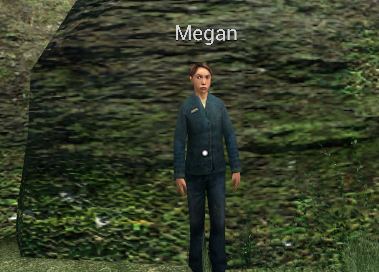
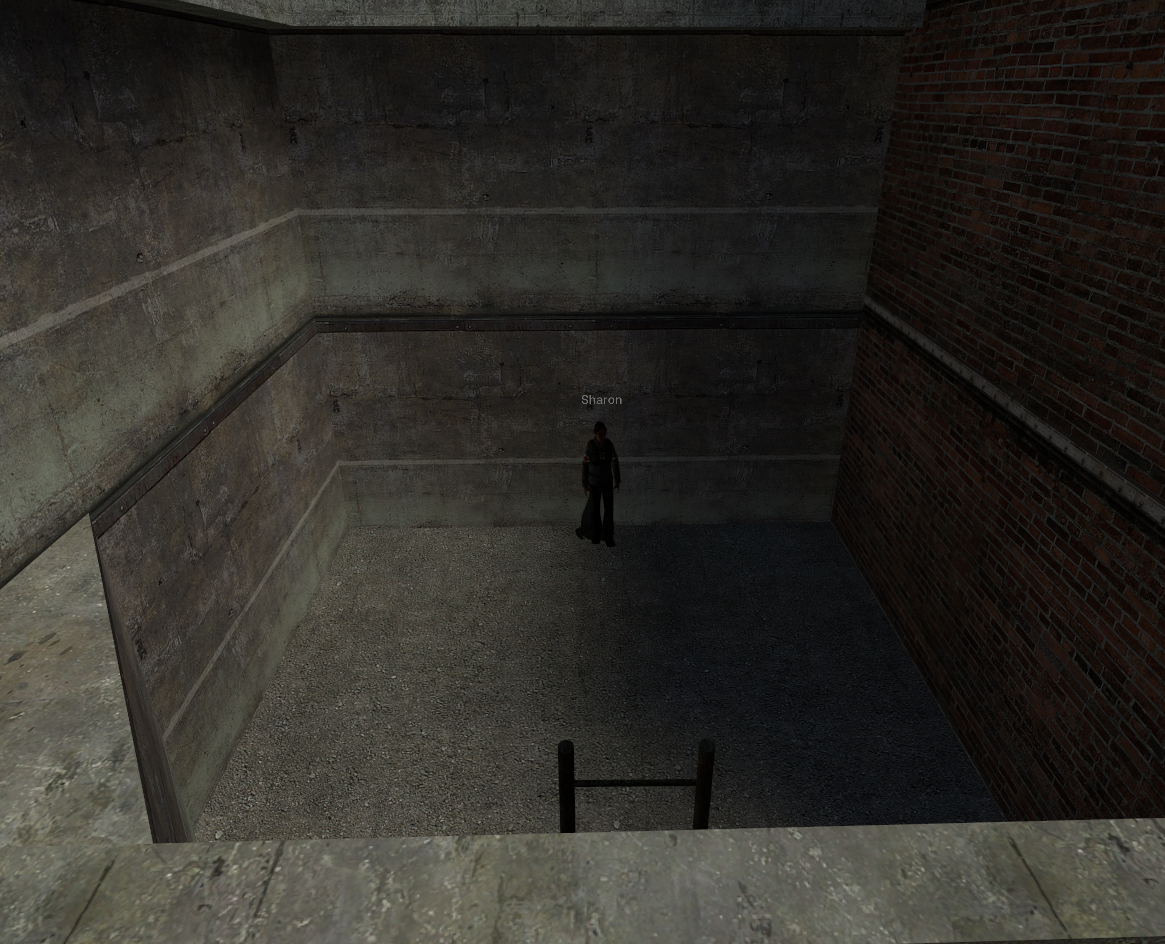
# Meth

### **How to cook Meth**

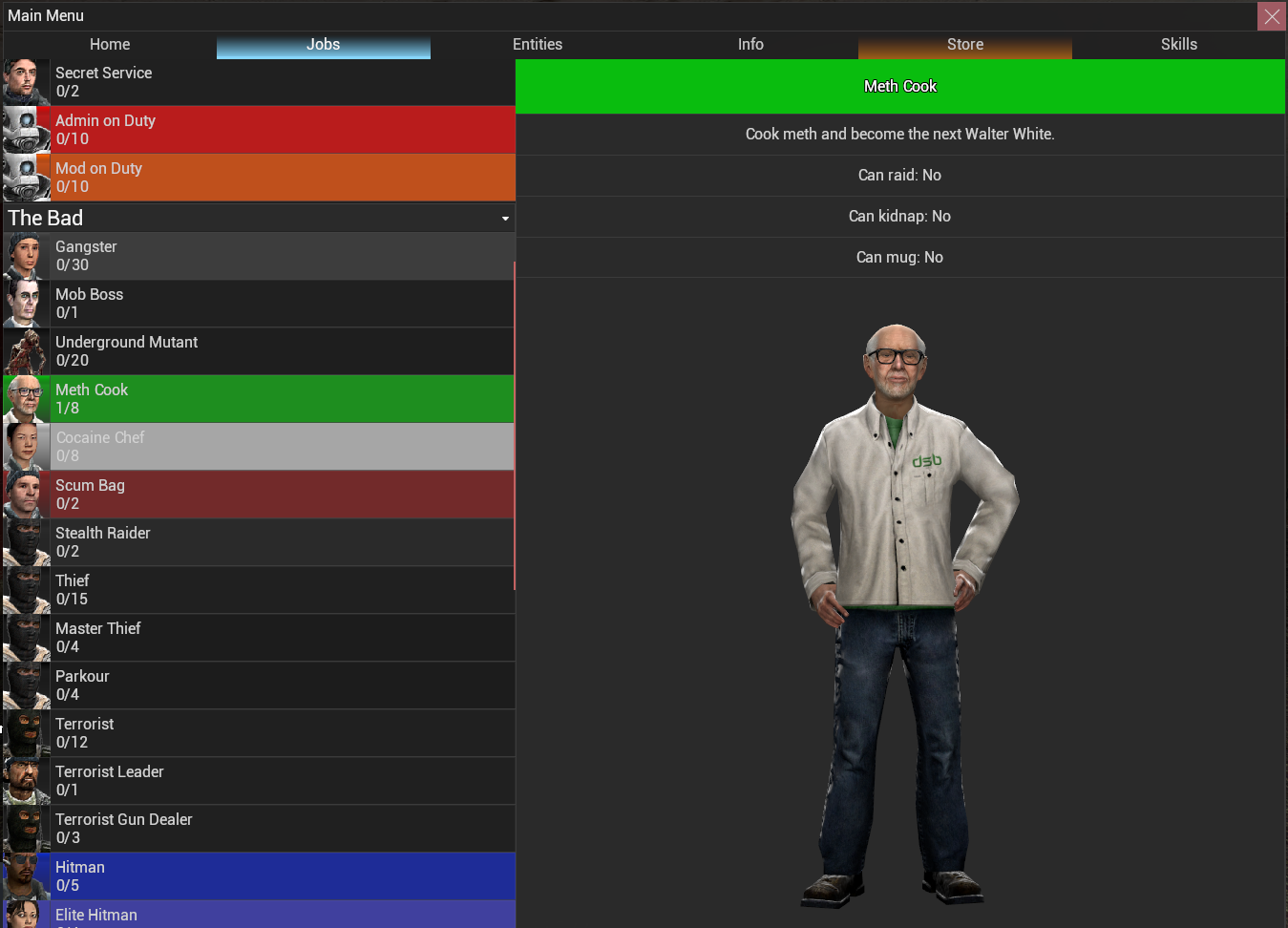
You will need to be a **meth cook** to access the meth entities. To do this simply:

##### **F4** &gt; **Jobs** or type **<span style="color: rgb(45, 194, 107);">/methcook</span>** in chat

[![Screenshot 2023-12-23 172324.png](https://wiki.cloud-gaming.co.uk/uploads/images/gallery/2023-12/scaled-1680-/screenshot-2023-12-23-172324.png)](https://wiki.cloud-gaming.co.uk/uploads/images/gallery/2023-12/screenshot-2023-12-23-172324.png)

[![screenshot-2023-12-23-172736.png](https://wiki.cloud-gaming.co.uk/uploads/images/gallery/2023-12/scaled-1680-/Yvescreenshot-2023-12-23-172736.png)](https://wiki.cloud-gaming.co.uk/uploads/images/gallery/2023-12/Yvescreenshot-2023-12-23-172736.png)

<details id="bkmrk-the-equipment-the-eq"><summary>The Equipment</summary>

### **The Equipment**

This is what you will be cooking with throughout your meth career.

<span style="color: rgb(52, 73, 94);">**Stove**</span> - To cook - You can only buy **1** - Costs **<span style="color: rgb(45, 194, 107);">£8000</span>**  [![Screenshot 2023-12-23 173407.png](https://wiki.cloud-gaming.co.uk/uploads/images/gallery/2023-12/scaled-1680-/screenshot-2023-12-23-173407.png)](https://wiki.cloud-gaming.co.uk/uploads/images/gallery/2023-12/screenshot-2023-12-23-173407.png)

**<span style="color: rgb(224, 62, 45);">Pot</span>** - Used to make **<span style="color: rgb(224, 62, 45);">Red Phosphorous</span>** - You can buy **2** - Costs **<span style="color: rgb(45, 194, 107);">£800</span>**

[![image.png](https://wiki.cloud-gaming.co.uk/uploads/images/gallery/2023-12/scaled-1680-/nbkimage.png)](https://wiki.cloud-gaming.co.uk/uploads/images/gallery/2023-12/nbkimage.png)

<span style="color: rgb(185, 106, 217);">**Jar** </span>- Used to make **<span style="color: rgb(185, 106, 217);">Crystallized Iodine</span>** - You can only buy **1** - Costs **<span style="color: rgb(45, 194, 107);">£500</span>**

[![image.png](https://wiki.cloud-gaming.co.uk/uploads/images/gallery/2023-12/scaled-1680-/FU4image.png)](https://wiki.cloud-gaming.co.uk/uploads/images/gallery/2023-12/FU4image.png)

**<span style="color: rgb(53, 152, 219);">Special Pot</span>** - Used to make that<span style="color: rgb(194, 224, 244);"> **<span style="color: rgb(53, 152, 219);">sweet baby blue</span>**</span> - You can only buy **1** - Costs **<span style="color: rgb(45, 194, 107);">£1000</span>**

[![image.png](https://wiki.cloud-gaming.co.uk/uploads/images/gallery/2023-12/scaled-1680-/q2bimage.png)](https://wiki.cloud-gaming.co.uk/uploads/images/gallery/2023-12/q2bimage.png)

<span style="color: rgb(126, 140, 141);">**Gas Canister**</span> - Used to refuel your **<span style="color: rgb(52, 73, 94);">Stove</span> -** You can only buy **1** - Costs <span style="color: rgb(45, 194, 107);">**£500**</span>

[![image.png](https://wiki.cloud-gaming.co.uk/uploads/images/gallery/2023-12/scaled-1680-/Qclimage.png)](https://wiki.cloud-gaming.co.uk/uploads/images/gallery/2023-12/Qclimage.png)

</details><details id="bkmrk-the-ingredients-the-"><summary>The Ingredients</summary>

### **The Ingredients**

The stuff needed to turn you into a guy with pots and pans into a cook!

<span style="color: rgb(134, 65, 49);">**Liquid Iodine** </span>- You get **2L** per unit - Costs **<span style="color: rgb(45, 194, 107);">£600</span>**

[![image.png](https://wiki.cloud-gaming.co.uk/uploads/images/gallery/2023-12/scaled-1680-/DTUimage.png)](https://wiki.cloud-gaming.co.uk/uploads/images/gallery/2023-12/DTUimage.png)

**<span style="color: rgb(22, 145, 121);">Muriatic Acid</span>** - You get **3L** per unit - Costs **<span style="color: rgb(45, 194, 107);">£800</span>**

[![image.png](https://wiki.cloud-gaming.co.uk/uploads/images/gallery/2023-12/scaled-1680-/98simage.png)](https://wiki.cloud-gaming.co.uk/uploads/images/gallery/2023-12/98simage.png)

**<span style="color: rgb(241, 196, 15);">Liquid Sulfur</span>** - You get **2L** per unit - Costs **<span style="color: rgb(45, 194, 107);">£1000</span>**

[![image.png](https://wiki.cloud-gaming.co.uk/uploads/images/gallery/2023-12/scaled-1680-/iYGimage.png)](https://wiki.cloud-gaming.co.uk/uploads/images/gallery/2023-12/iYGimage.png)

**<span style="color: rgb(35, 111, 161);">Water</span>** - You get **3L** per unit - Costs **<span style="color: rgb(45, 194, 107);">£300</span>**

[![image.png](https://wiki.cloud-gaming.co.uk/uploads/images/gallery/2023-12/scaled-1680-/d1qimage.png)](https://wiki.cloud-gaming.co.uk/uploads/images/gallery/2023-12/d1qimage.png)

</details><details id="bkmrk-how-to-make-meth-how"><summary>How to make Meth</summary>

### **How to make <span style="color: rgb(35, 111, 161);">meth</span>**

First spawn a stove, place it anywhere you like.

#### [![image.png](https://wiki.cloud-gaming.co.uk/uploads/images/gallery/2023-12/scaled-1680-/ijGimage.png)](https://wiki.cloud-gaming.co.uk/uploads/images/gallery/2023-12/ijGimage.png)  
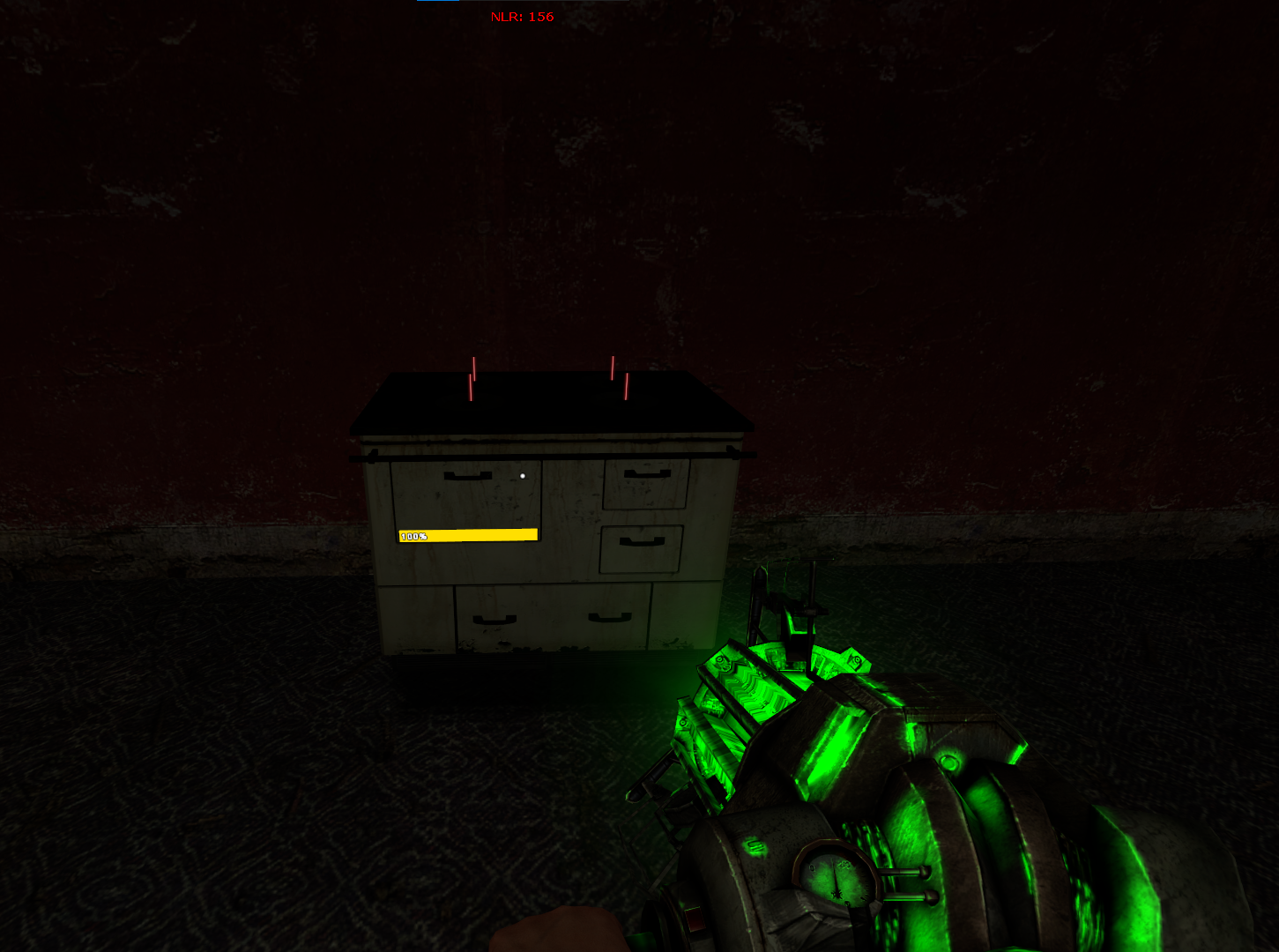

Spawn a **<span style="color: rgb(224, 62, 45);">Pot</span>** and a **<span style="color: rgb(53, 152, 219);">Special Pot</span>** and

place them on the red lines on the stove.

[![image.png](https://wiki.cloud-gaming.co.uk/uploads/images/gallery/2023-12/scaled-1680-/ahfimage.png)](https://wiki.cloud-gaming.co.uk/uploads/images/gallery/2023-12/ahfimage.png)
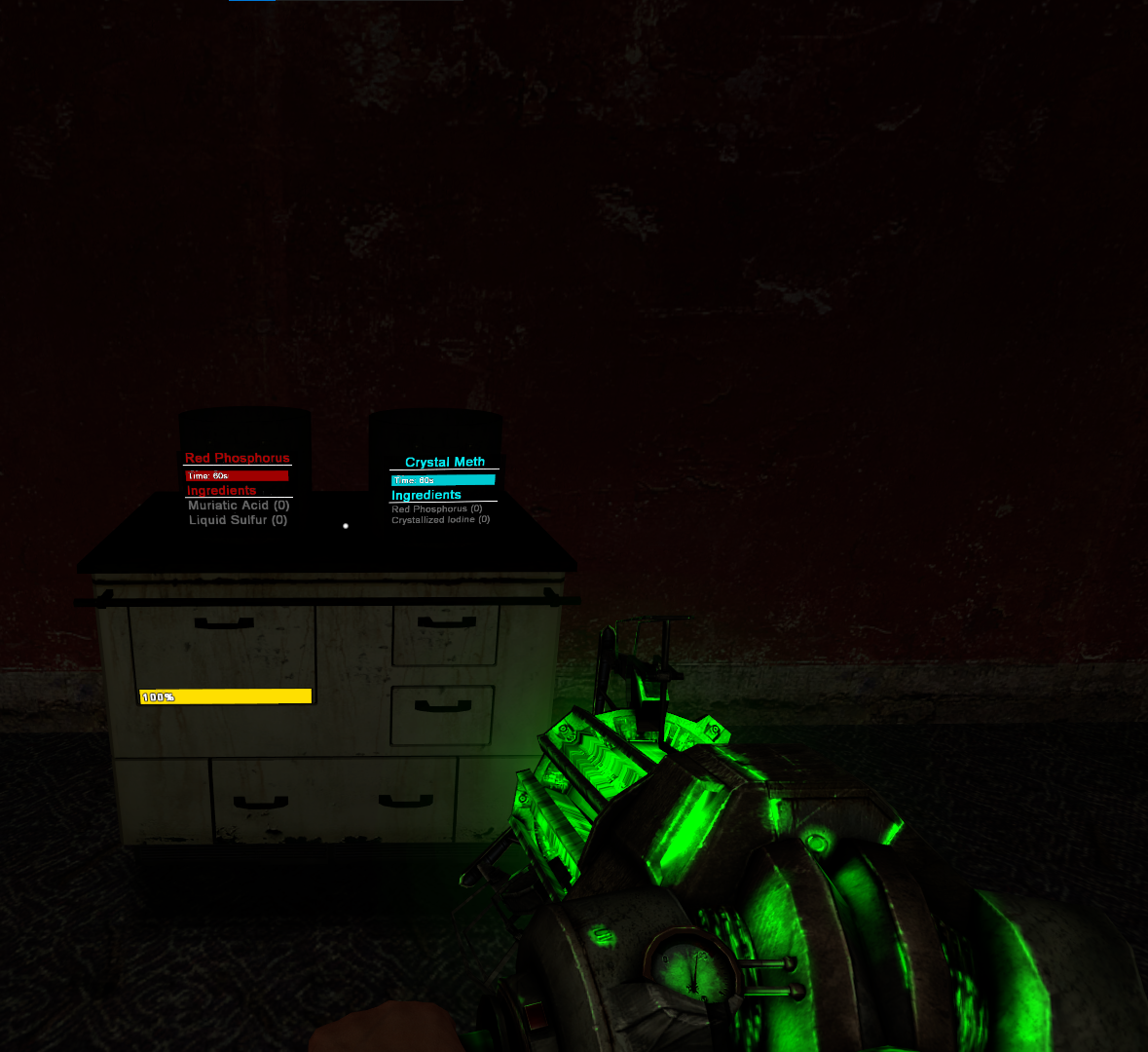
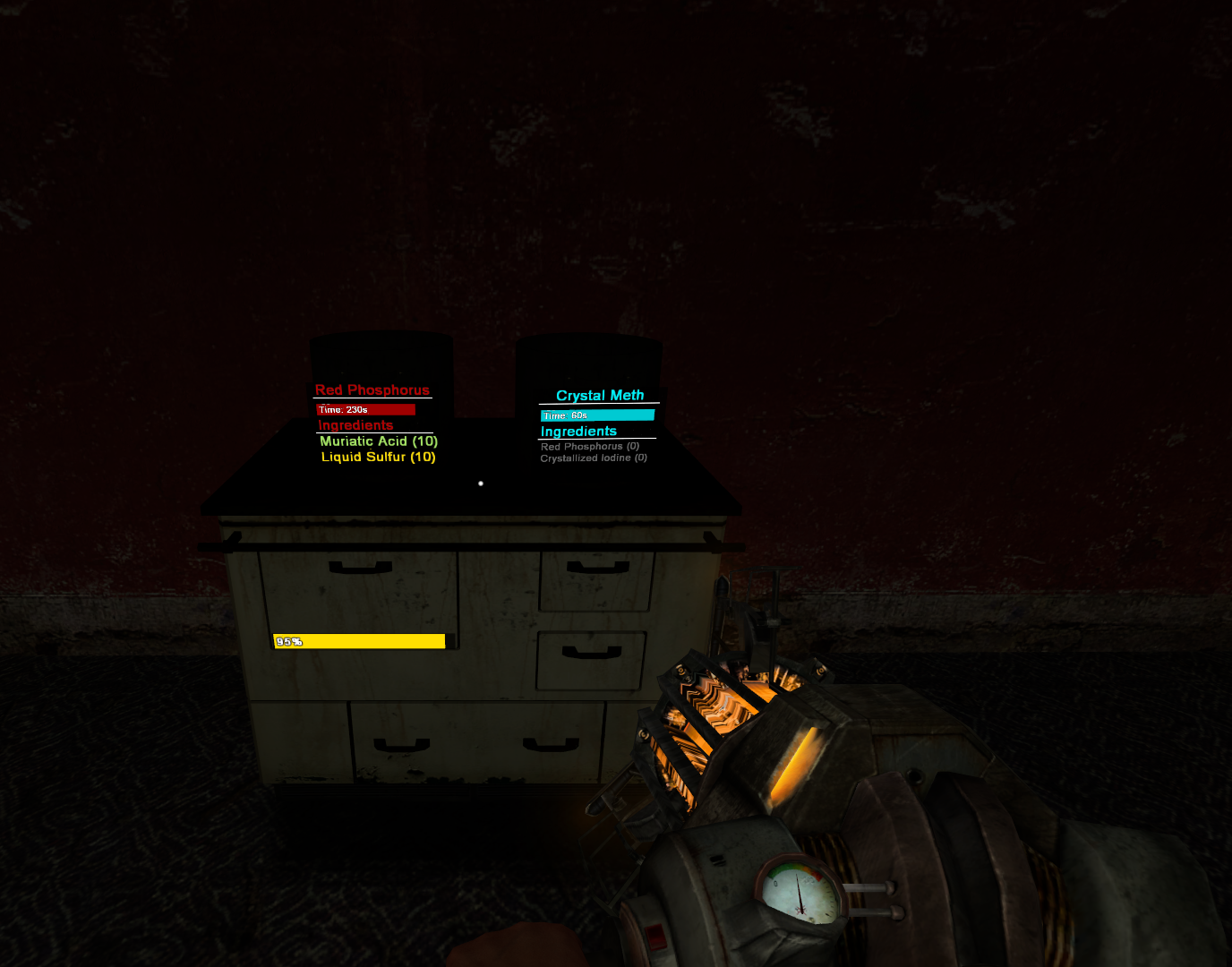
Add **<span style="color: rgb(22, 145, 121);">Muriatic Acid</span>** and **<span style="color: rgb(241, 196, 15);">Liquid Sulfur</span>** to the **<span style="color: rgb(224, 62, 45);">Pot</span>**, and let it cook**.**

**The more you add the more you obtain.**

<p class="callout info">The Pot holds a maximum of **10L** of both **Acid and Sulfur.** </p>

##### [![image.png](https://wiki.cloud-gaming.co.uk/uploads/images/gallery/2023-12/scaled-1680-/cb7image.png)](https://wiki.cloud-gaming.co.uk/uploads/images/gallery/2023-12/cb7image.png) 

While your mixture is cooking you can start making **<span style="color: rgb(185, 106, 217);">Crystallized Iodine</span>**,

to do this, spawn a **<span style="color: rgb(185, 106, 217);">Jar</span>**

[![image.png](https://wiki.cloud-gaming.co.uk/uploads/images/gallery/2023-12/scaled-1680-/p46image.png)](https://wiki.cloud-gaming.co.uk/uploads/images/gallery/2023-12/p46image.png)

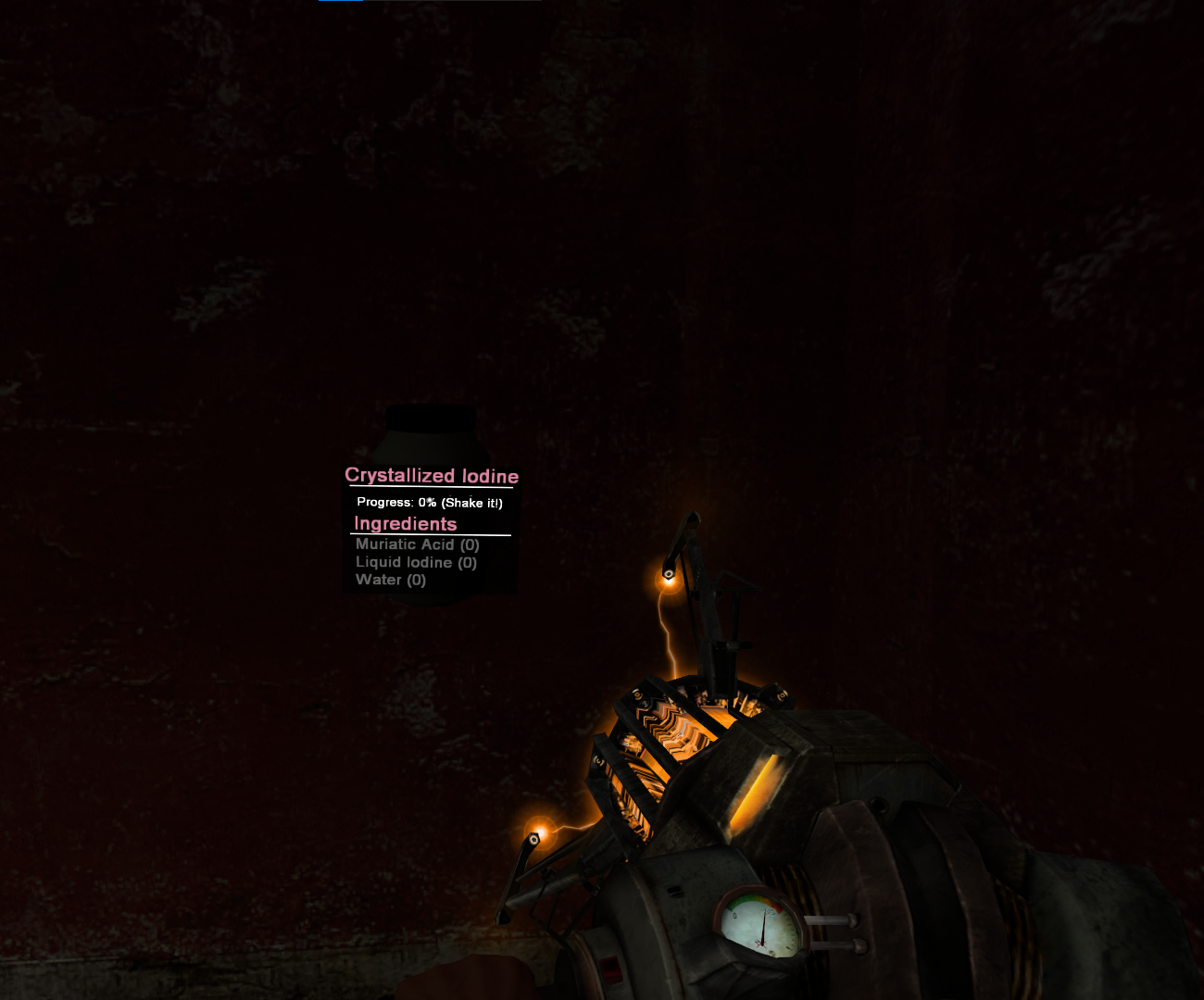
 Add <span style="color: rgb(22, 145, 121);">**Muriatic Acid**</span>, <span style="color: rgb(134, 65, 49);">**Liquid Iodine**</span> and <span style="color: rgb(35, 111, 161);">**Water**</span> to the <span style="color: rgb(185, 106, 217);">**Jar**</span> and **shake it with your gravity gun.**

<p class="callout info">As with the Pot, the Jar has a maximum of **10L per item**, the more you add to more you obtain.</p>

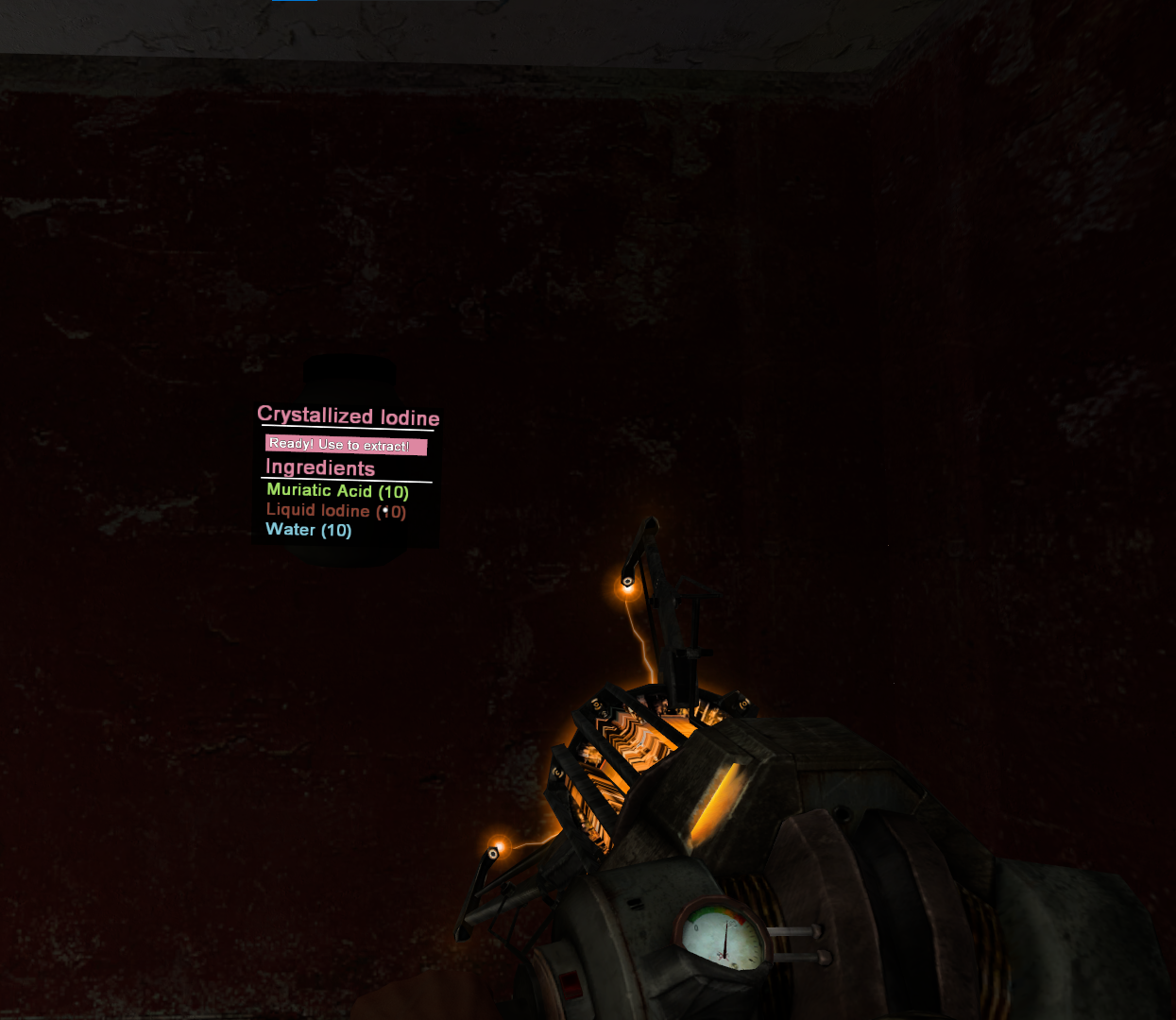
You will know its been shook enough when it says **"Ready! Use to Extract"**

Simply press E on it and you will receive your **<span style="color: rgb(185, 106, 217);">Crystallized Iodine</span>**!

[![image.png](https://wiki.cloud-gaming.co.uk/uploads/images/gallery/2023-12/scaled-1680-/Ekcimage.png)](https://wiki.cloud-gaming.co.uk/uploads/images/gallery/2023-12/Ekcimage.png)

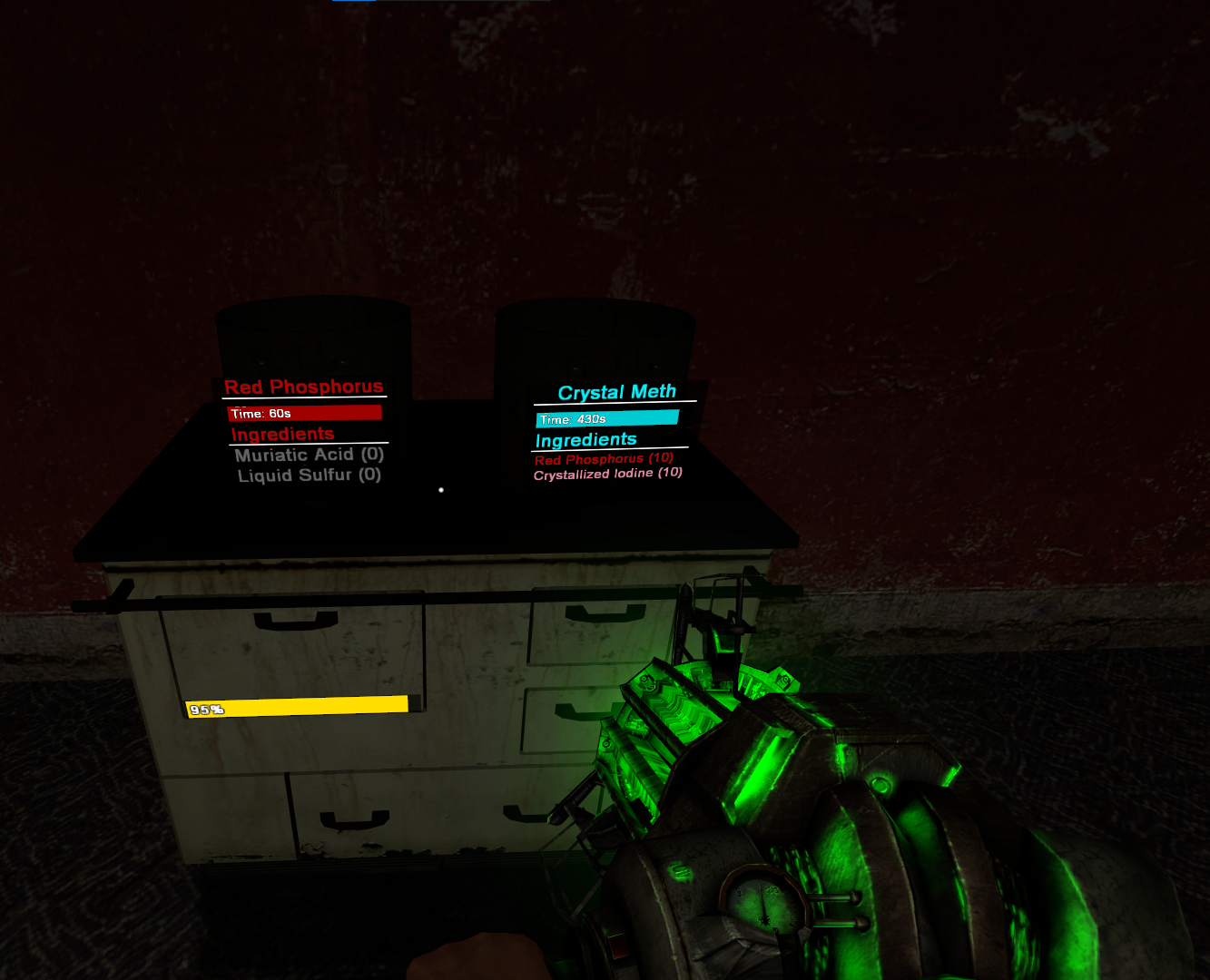
Now with your <span style="color: rgb(224, 62, 45);">**Pot**</span> finished cooking, press E on it and put the <span style="color: rgb(185, 106, 217);">**Crystallized Iodine**</span> and <span style="color: rgb(224, 62, 45);">**Red Phosphorous**</span> into the <span style="color: rgb(53, 152, 219);">**Special Pot**</span>**.**

##### [![image.png](https://wiki.cloud-gaming.co.uk/uploads/images/gallery/2023-12/scaled-1680-/Eh0image.png)](https://wiki.cloud-gaming.co.uk/uploads/images/gallery/2023-12/Eh0image.png)

After some time your stove may run out of fuel, to refuel it spawn a <span style="color: rgb(126, 140, 141);">**Gas Canister**</span> and drag it into the <span style="color: rgb(52, 73, 94);">**Stove**</span>. The **more things cooking at once**, the **more fuel will be used**.

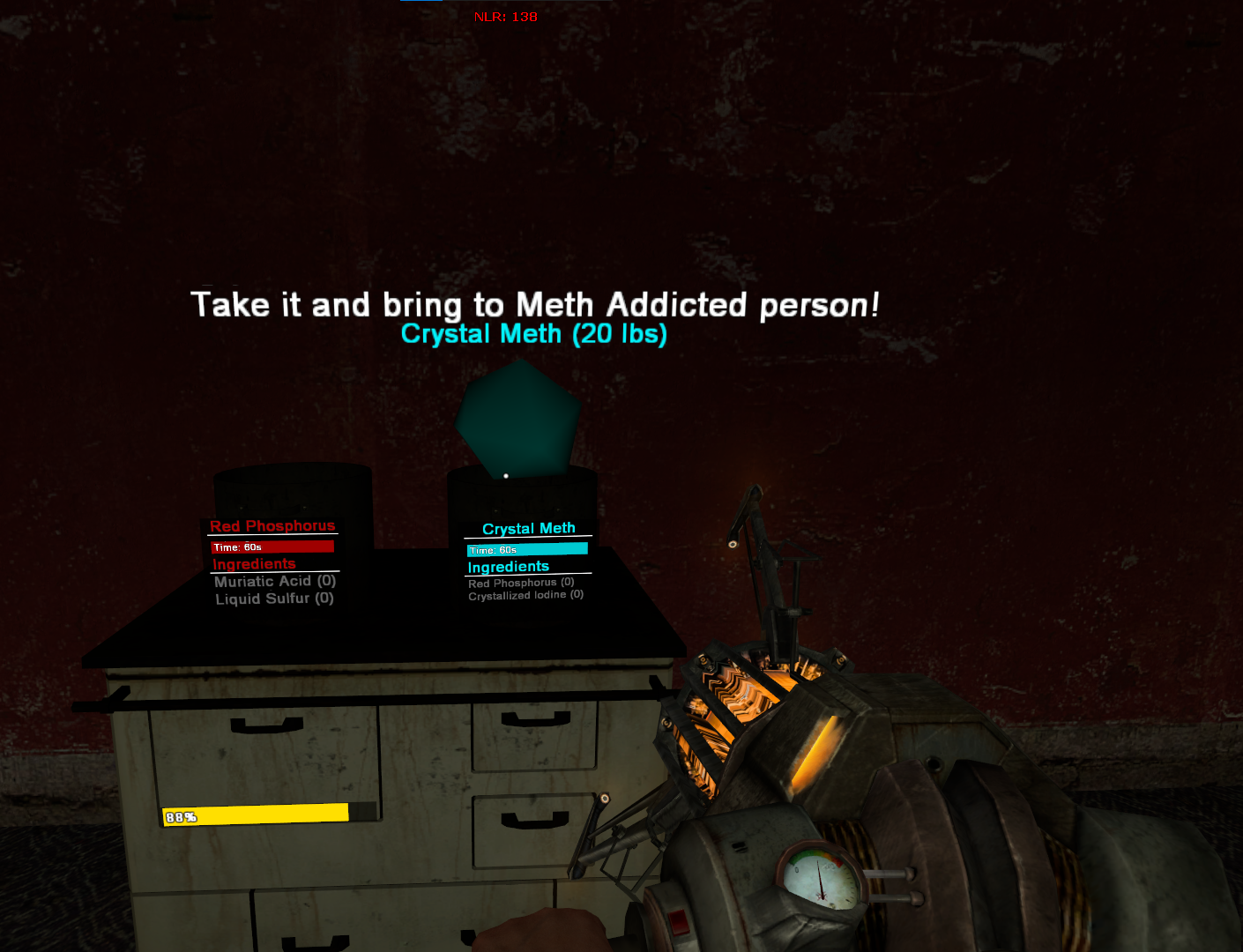
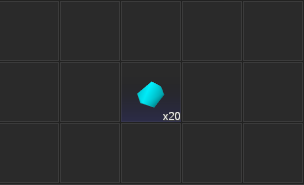
Once your Meth has finished cooking, press E to extract it and to pick it up, once you pick it up **it will take a slot in your inventory.**

[![image.png](https://wiki.cloud-gaming.co.uk/uploads/images/gallery/2023-12/scaled-1680-/pn3image.png)](https://wiki.cloud-gaming.co.uk/uploads/images/gallery/2023-12/pn3image.png)[![image.png](https://wiki.cloud-gaming.co.uk/uploads/images/gallery/2023-12/scaled-1680-/WmUimage.png)](https://wiki.cloud-gaming.co.uk/uploads/images/gallery/2023-12/WmUimage.png)
</details><details id="bkmrk-where-to-sell-your-m"><summary>Where to sell your meth</summary>

### **Selling your meth**

Whether you cooked the meth or stole it, you can sell it to drug dealers across the map. You have to find a drug dealer or follow the marker that appears on your screen.

<p class="callout info">They move positions after a certain period of time, so the same dealer wont always be in the spot you saw them last!  
The more CP that are online, the more money you gain when you sell!</p>

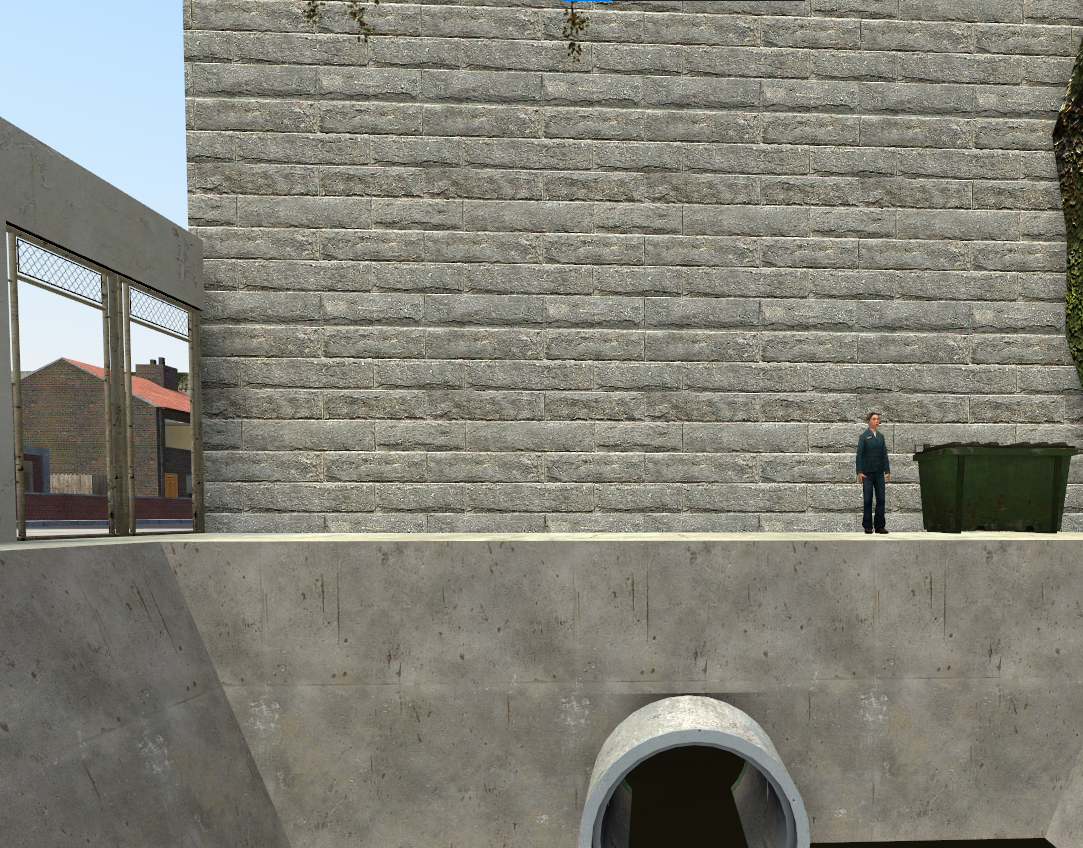
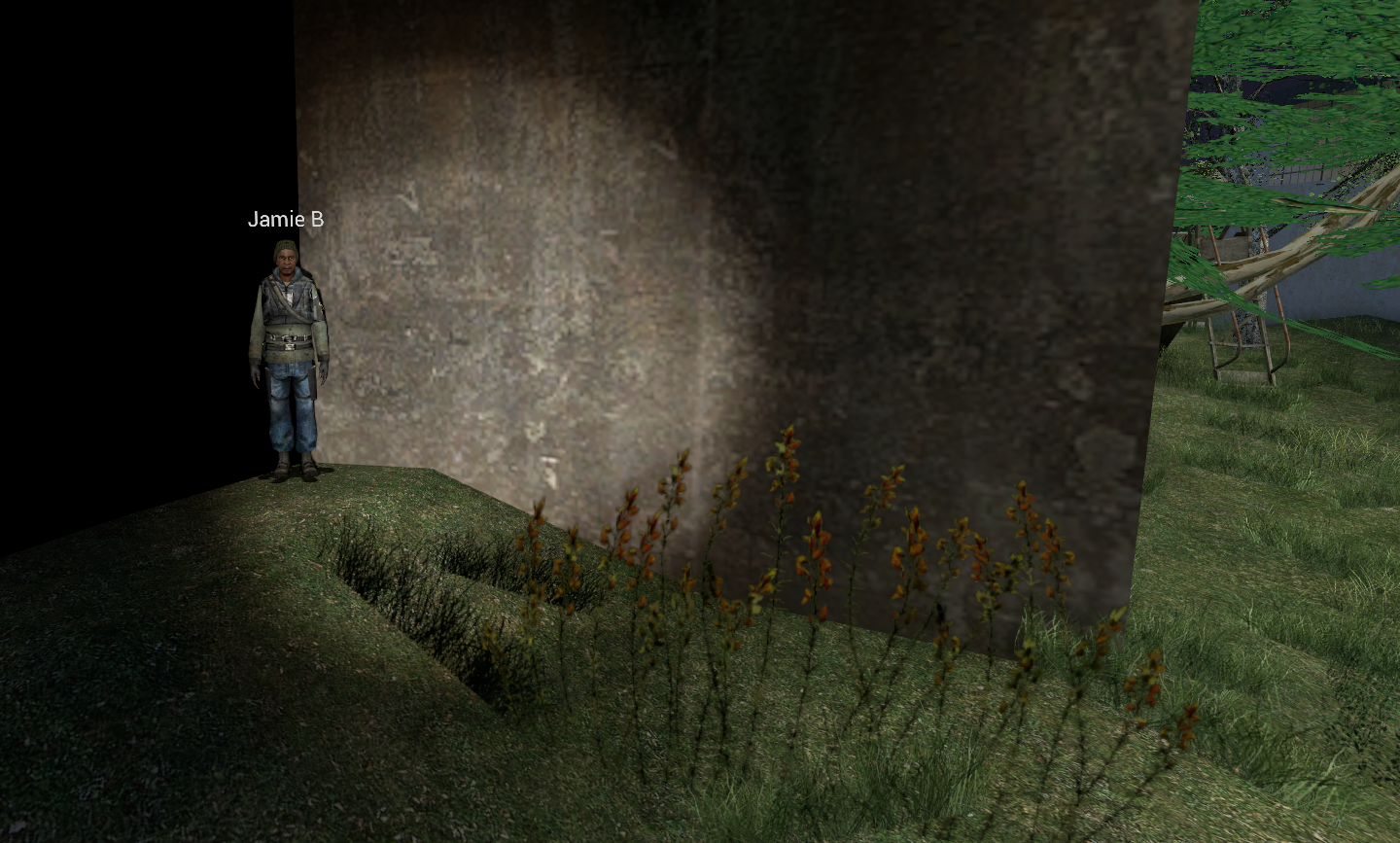
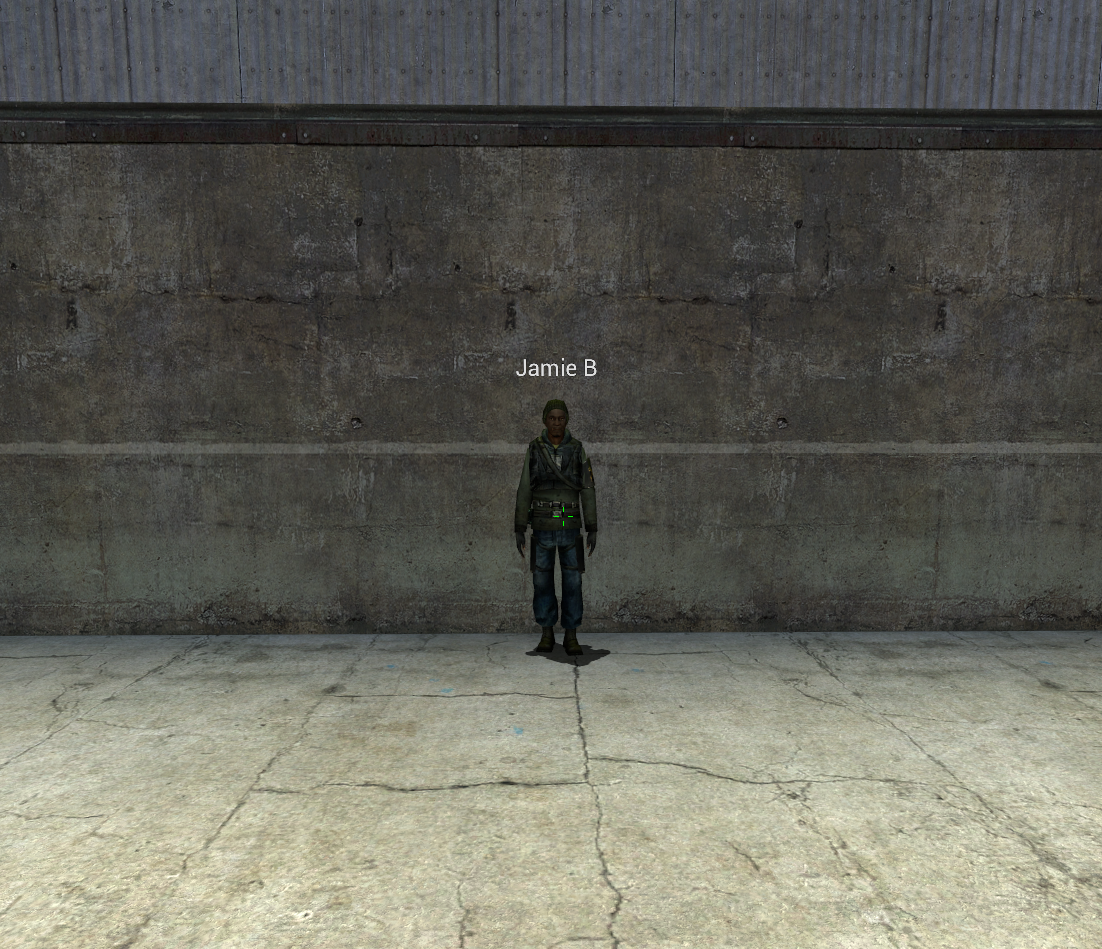
There are 2 normally, but if enough players are on there can be 3. Below is a map of downtown and the highlighted areas are where the drug dealers can spawn.

It sells instantly, however it makes you **wanted** so get ready to run home!

[![image.png](https://wiki.cloud-gaming.co.uk/uploads/images/gallery/2023-12/scaled-1680-/Yunimage.png)](https://wiki.cloud-gaming.co.uk/uploads/images/gallery/2023-12/Yunimage.png)
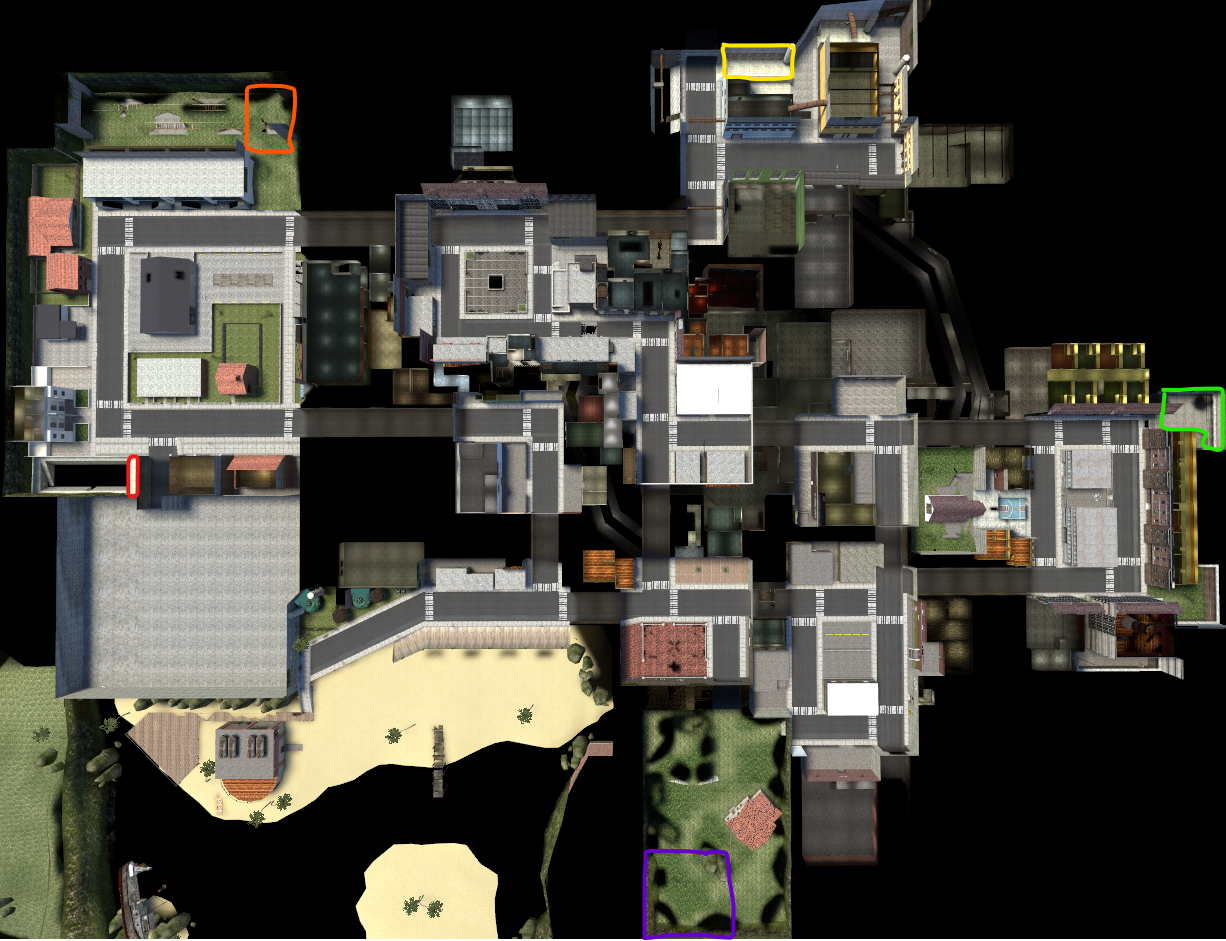
##### **<span style="color: rgb(224, 62, 45);">Residential Dealer 1</span> - <span style="color: rgb(224, 62, 45);">Red </span>**

[![image.png](https://wiki.cloud-gaming.co.uk/uploads/images/gallery/2023-12/scaled-1680-/Fksimage.png)](https://wiki.cloud-gaming.co.uk/uploads/images/gallery/2023-12/Fksimage.png)

##### **<span style="color: rgb(230, 126, 35);">Residential Dealer 2</span> - <span style="color: rgb(230, 126, 35);">Orange</span>**

**[![image.png](https://wiki.cloud-gaming.co.uk/uploads/images/gallery/2023-12/scaled-1680-/uooimage.png)](https://wiki.cloud-gaming.co.uk/uploads/images/gallery/2023-12/uooimage.png)**

##### **<span style="color: rgb(241, 196, 15);">Industrial Dealer </span>- <span style="color: rgb(241, 196, 15);">Yellow </span>**

[![image.png](https://wiki.cloud-gaming.co.uk/uploads/images/gallery/2023-12/scaled-1680-/3E2image.png)](https://wiki.cloud-gaming.co.uk/uploads/images/gallery/2023-12/3E2image.png)

##### **<span style="color: rgb(132, 63, 161);">Farm Dealer</span> - <span style="color: rgb(132, 63, 161);">Purple</span>**

##### [![image.png](https://wiki.cloud-gaming.co.uk/uploads/images/gallery/2023-12/scaled-1680-/XGiimage.png)](https://wiki.cloud-gaming.co.uk/uploads/images/gallery/2023-12/XGiimage.png)

##### **<span style="color: rgb(45, 194, 107);">Oakyville Dealer </span>- <span style="color: rgb(45, 194, 107);">Green</span>**

[![image.png](https://wiki.cloud-gaming.co.uk/uploads/images/gallery/2023-12/scaled-1680-/j93image.png)](https://wiki.cloud-gaming.co.uk/uploads/images/gallery/2023-12/j93image.png)


</details>