# Cocaine

### **How to access Cocaine**

To start your **cocaine empire,** you will first need to go a job that has the ability to spawn cocaine entities, some **custom jobs (cit needed)** have cocaine entities. However if you do not have a custom job, don't worry as you can find the **Cocaine Chef** in the **F4** &gt; **Jobs** Menu.

<details id="bkmrk-job-menu"><summary>Job Menu</summary>

![image.png](https://wiki.cloud-gaming.co.uk/uploads/images/gallery/2023-12/scaled-1680-/m0Rimage.png)

</details>### **Where to cook?**

Most of the time if there is a functioning CP presence on the server, Cocaine and other drugs will be **illegal** meaning that you will be unable to just set up shop on the pavement. You will need to **[set up a base](https://wiki.cloud-gaming.co.uk/books/basing "Basing")** somewhere to protect your cocaine kitchen from **CP Raids** and Criminals **attempting to steal your product**.

You can find the basing rules [**here** ](https://wiki.cloud-gaming.co.uk/books/basing/chapter/how-to-build-a-base)to see how to perfectly defend your entities within your base whilst not breaking any rules.

### **Prepping your cook area**

Now you have a safe place to cook, you will need to place down **3 main entities**<span style="text-decoration: underline;">**,**</span> these can be found by pressing **F4** and clicking on the **Entities** Tab, it should look like this when playing **Cocaine chef:**

<details id="bkmrk-prepping-your-cook-a-1"><summary>Prepping your cook area</summary>

![image.png](https://wiki.cloud-gaming.co.uk/uploads/images/gallery/2023-12/scaled-1680-/4Caimage.png)

</details>Now you have this menu up, you will want to buy the **Stove**, **Drying Rack** and **Cocaine Extractor**. When you have spawned these in you can move them to your liking with either the **Gravity** or **Physics gun** (Using the Physics gun will allow you to Freeze the entity by Right clicking whilst moving it), the next section will explain what these Entities actually do and how to get them set up.

### **Setting up your entities, No.1 Stove**

To get the Stove set up it will be empty when you spawn it in, requiring you to buy and add **4x Cooking Plates** to it by spawning them in and **dragging them over to the Stove** using the **Gravity gun**, (you can use the physics gun but the gravity gun is easier to wield for the smaller entities). You will also need to add **2x Gas Canisters** to the **Stove**, if done correctly your final Stove should look like this, we can leave the Stove now and move on to the 2nd of the 3 entities.

<details id="bkmrk-stove"><summary>Stove</summary>

![image.png](https://wiki.cloud-gaming.co.uk/uploads/images/gallery/2023-12/scaled-1680-/K6oimage.png)

</details>### **Setting up your entities, No.2 Cocaine Extractor**

This one is fairly simple to set up. More explanation on what it does will be further down, but all you need to do to set it up at this point in time is to **spawn it in** and fill it with **Leaves** by buying Leaves and moving them into the extractor until the **gauge fills up** (it takes **6 Leaves**). You will also need to buy a **Bucket** and move this into the Extractor, the final product should look like so:

<div id="bkmrk-cocaine-extractor"><details><summary>Cocaine Extractor</summary>

<div>[![image.png](https://wiki.cloud-gaming.co.uk/uploads/images/gallery/2023-12/scaled-1680-/d3Bimage.png)](https://wiki.cloud-gaming.co.uk/uploads/images/gallery/2023-12/d3Bimage.png)</div><div>[![pmmimage.png](https://wiki.cloud-gaming.co.uk/uploads/images/gallery/2023-12/scaled-1680-/I6Dpmmimage.png)](https://wiki.cloud-gaming.co.uk/uploads/images/gallery/2023-12/I6Dpmmimage.png)</div></details></div><p class="callout info">The bottom bar in the image above is the product that comes from your Stove in the cooking phase, requiring 4x Full Cooking pots to fill the machine</p>

### **Setting up your entities, No.3 Drying Rack**

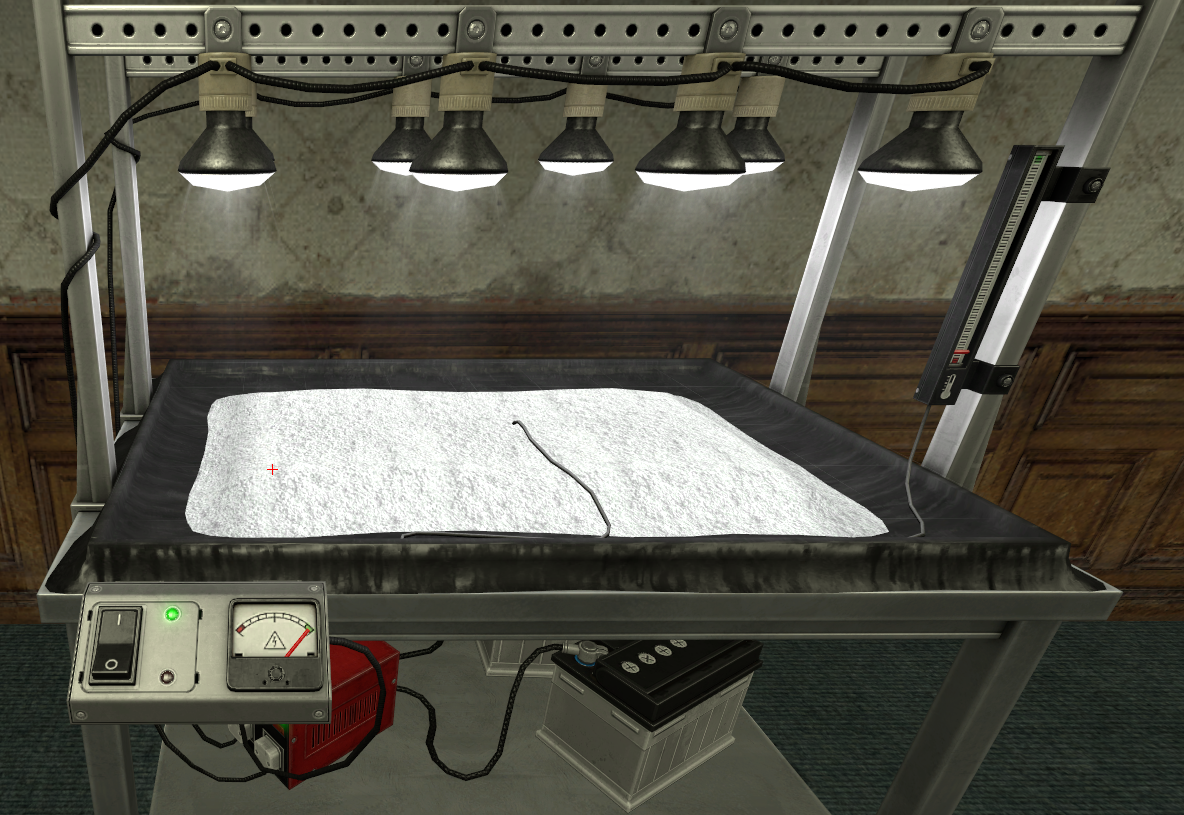
The **Drying Rack** is the most simple, just **spawn it in** and move it to your desired location and you will need to add **2x Batteries.** It should look like this when set up:

<details id="bkmrk-drying-rack"><summary>Drying Rack</summary>

![image.png](https://wiki.cloud-gaming.co.uk/uploads/images/gallery/2023-12/scaled-1680-/NOCimage.png)

</details>When fully set up and ready to cook, your kitchen should look like this:

<details id="bkmrk-idea-setup"><summary>Ideal Setup</summary>

![image.png](https://wiki.cloud-gaming.co.uk/uploads/images/gallery/2023-12/scaled-1680-/VYYimage.png)

</details>**Now to move onto how to cook.**

### **How to start cooking**

To start cooking, you will need to buy **4x Cooking Pots**, in these pots you will need to put **1x Water Bottle** and **1x Baking Soda** in **each one**, for a total of **4x Water Bottles** and **4x Baking Soda**. Your final product should be **4x Cooking pots** that look like this:

[![image.png](https://wiki.cloud-gaming.co.uk/uploads/images/gallery/2023-12/scaled-1680-/EYzimage.png)](https://wiki.cloud-gaming.co.uk/uploads/images/gallery/2023-12/EYzimage.png)

Now with these 4x Cooking Pots you will need to **drag them over** to the **stove** and it should look like this:

[![image.png](https://wiki.cloud-gaming.co.uk/uploads/images/gallery/2023-12/scaled-1680-/nqiimage.png)](https://wiki.cloud-gaming.co.uk/uploads/images/gallery/2023-12/nqiimage.png)

**Now to turn up the heat**! The **4 Dials** on the stove correspond with the **4 hobs**, all you have to do is **press E on each Dial** to **turn the hobs on**, this will start cooking the cocaine mixture, however keep an eye on the **gauge on the right** as this is your **Gas level.** As you cook the mixture this will lower, and when it reaches half way down the scale, 1 of the Gas Canisters will disappear, requiring you to buy and drag 1 more to the Stove. When all the pots are cooked they should look like this:

[![image.png](https://wiki.cloud-gaming.co.uk/uploads/images/gallery/2023-12/scaled-1680-/Dmgimage.png)](https://wiki.cloud-gaming.co.uk/uploads/images/gallery/2023-12/Dmgimage.png)

<p class="callout info">Only the front 2 are cooked on this photo. The 2 at the back are still cooking.</p>

The **thermometers will disappear** and the liquid will now be a **murky beige colour.** You can now move these pots to the Extractor and it will start filling the bottom bar. This will also **empty the pots** allowing you to **refill them** with **Water** and **Baking Soda** and **cook again** on the Stove. When these 4x Cooking pots that fully cooked are moved into the Extractor, the 2 lights will be off and it will look like this below, if it looks like this just press E on the Extractor and it will start.

[![image.png](https://wiki.cloud-gaming.co.uk/uploads/images/gallery/2023-12/scaled-1680-/eAjimage.png)](https://wiki.cloud-gaming.co.uk/uploads/images/gallery/2023-12/eAjimage.png)[![image.png](https://wiki.cloud-gaming.co.uk/uploads/images/gallery/2023-12/scaled-1680-/WSximage.png)](https://wiki.cloud-gaming.co.uk/uploads/images/gallery/2023-12/WSximage.png)
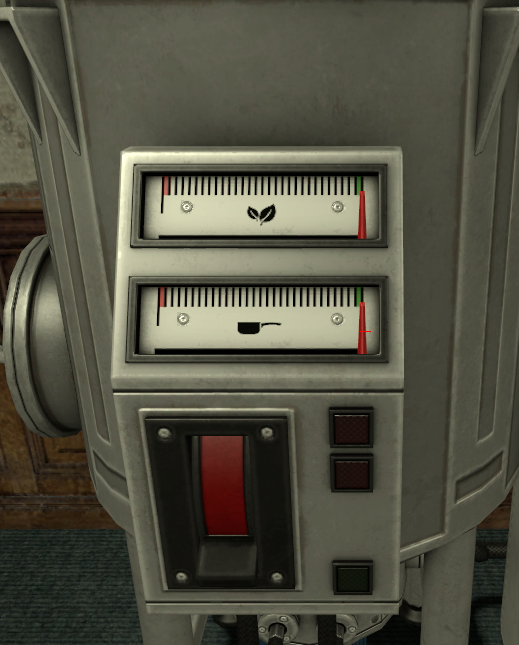
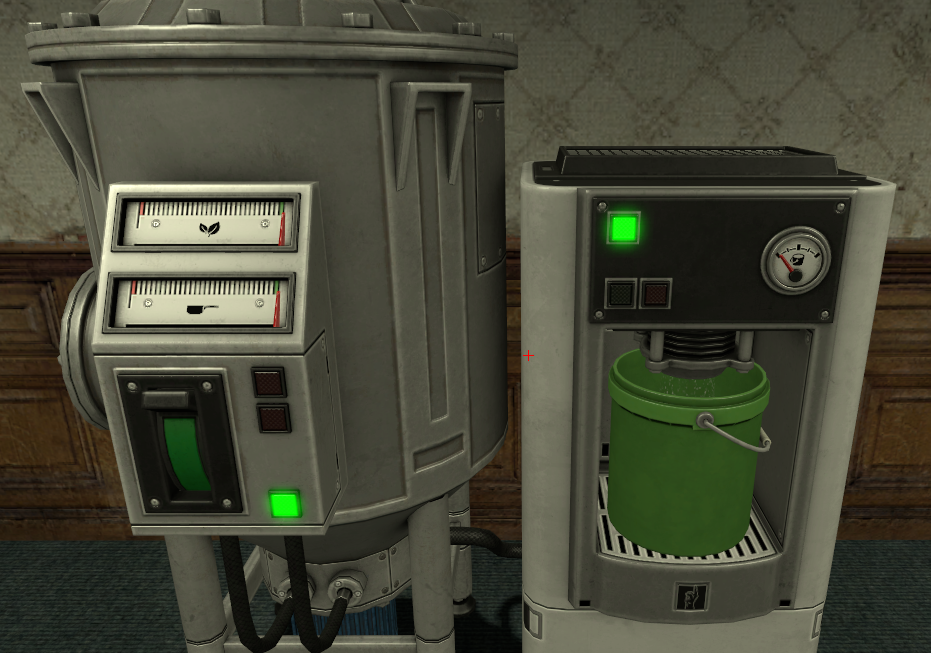
<p class="callout info">Left = Before starting extraction   
Right = After pressing E on the full machine</p>

When this is completed, the machine will reset to how it was in the setting up your entities (stage 2) and it will need to be refilled. You will also now be able to **move the Bucket** to your **Drying Rack** and then moving the bucket **back to the extractor** to reset the extractor fully.

[![image.png](https://wiki.cloud-gaming.co.uk/uploads/images/gallery/2023-12/scaled-1680-/icZimage.png)](https://wiki.cloud-gaming.co.uk/uploads/images/gallery/2023-12/icZimage.png)
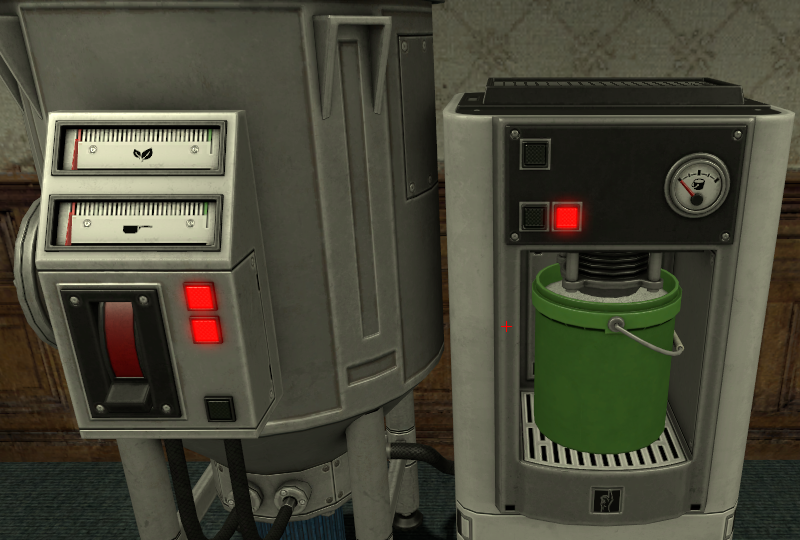
<p class="callout success">Finished Extractor  
</p>

Moving the Bucket from the **Extractor** to the **Drying Rack** should cause it to look like this:

[![image.png](https://wiki.cloud-gaming.co.uk/uploads/images/gallery/2023-12/scaled-1680-/xUgimage.png)](https://wiki.cloud-gaming.co.uk/uploads/images/gallery/2023-12/xUgimage.png)
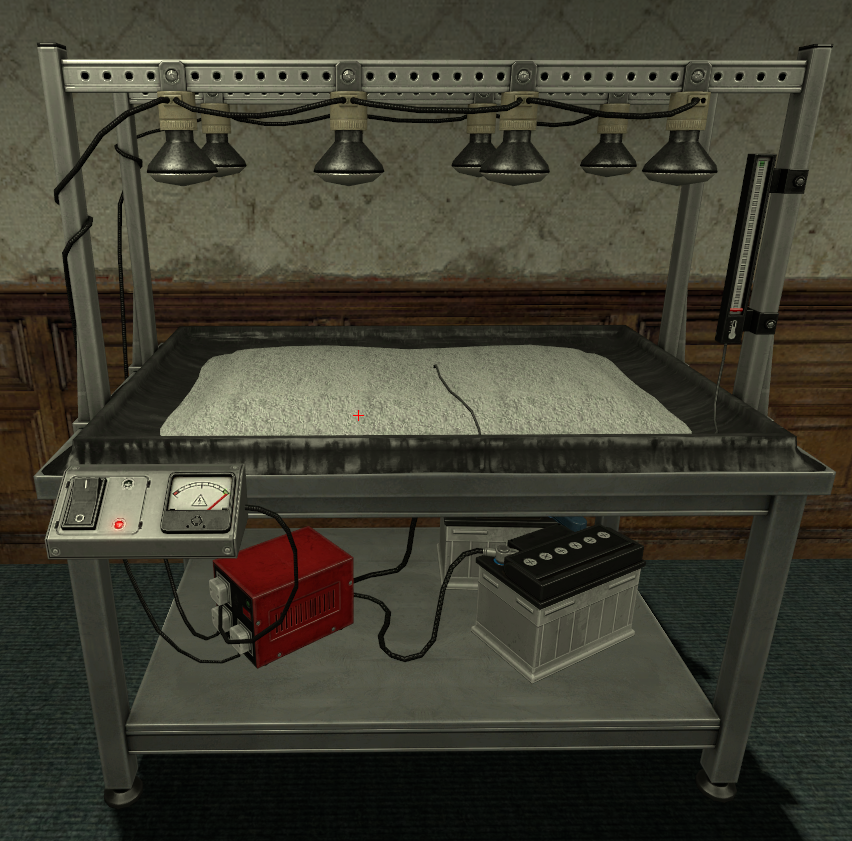
When ready to start drying, just press E on the Machine. **But be wary!** Like with the **Gas Canisters** in the **Stove**, the **Batteries run out** and will need to be **replaced.** You can have 2 on the machine at a time.

<p class="callout warning">If, whilst drying, both batteries run out you will **lose your cocaine** and have to **restart the processes** prior to this.</p>

[![image.png](https://wiki.cloud-gaming.co.uk/uploads/images/gallery/2023-12/scaled-1680-/JWJimage.png)](https://wiki.cloud-gaming.co.uk/uploads/images/gallery/2023-12/JWJimage.png)[![image.png](https://wiki.cloud-gaming.co.uk/uploads/images/gallery/2023-12/scaled-1680-/TpBimage.png)](https://wiki.cloud-gaming.co.uk/uploads/images/gallery/2023-12/TpBimage.png)
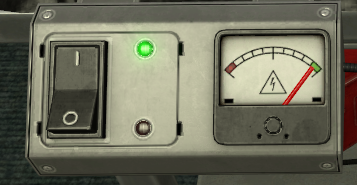
<p class="callout info">Drying Rack in action. MAKE SURE TO KEEP AN EYE ON THIS BAR (right)! It is the same principle as the **Gas Canisters** in the **Stove**.</p>

When the Drying Rack is finished it should look like this:

[![image.png](https://wiki.cloud-gaming.co.uk/uploads/images/gallery/2023-12/scaled-1680-/gLAimage.png)](https://wiki.cloud-gaming.co.uk/uploads/images/gallery/2023-12/gLAimage.png)
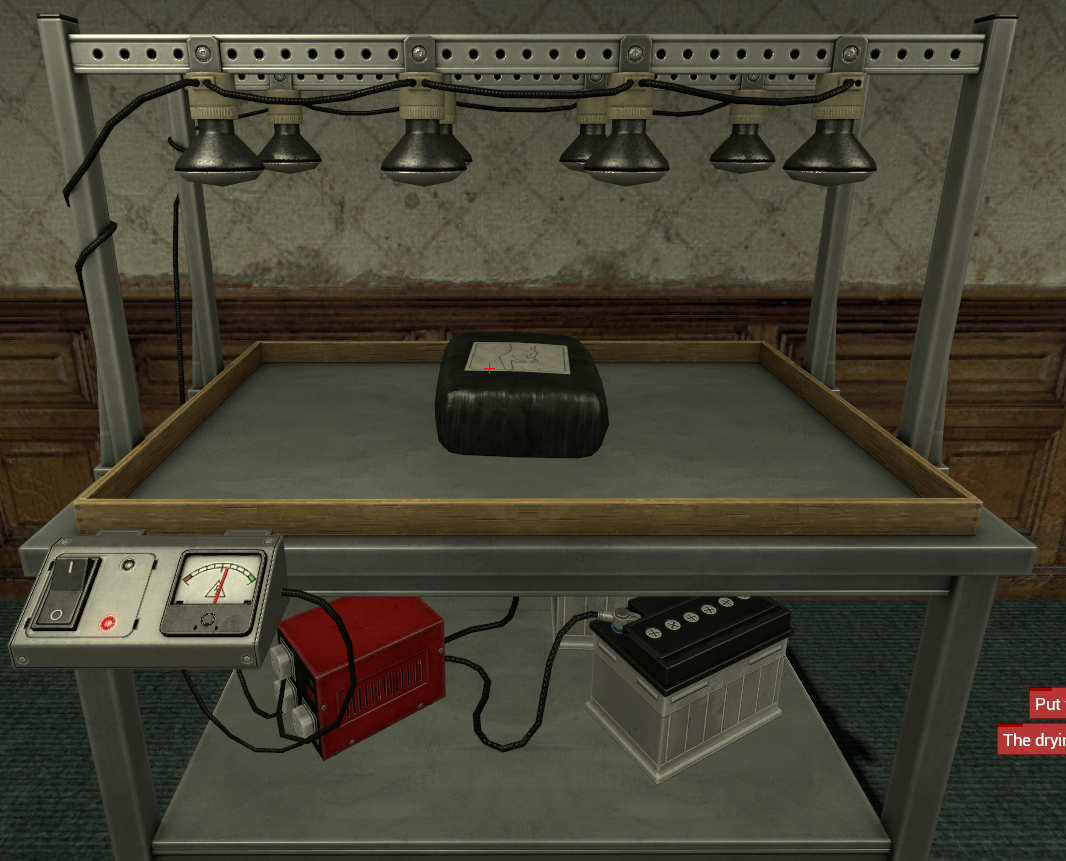
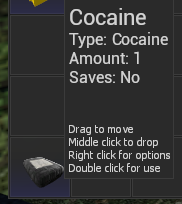
Pressing E on that **bag** will add 1x Cocaine to your **Inventory** which you can access by **holding C** or by scrolling to the **Inventory** swep and right clicking.

[![image.png](https://wiki.cloud-gaming.co.uk/uploads/images/gallery/2023-12/scaled-1680-/xw4image.png)](https://wiki.cloud-gaming.co.uk/uploads/images/gallery/2023-12/xw4image.png)
### **Selling your product**

A very easy way to know where Drug Dealer NPCs are is to have the waypoint setting turned **on**, to find this go in the **F4** &gt; **Home** menu and then on the right side make sure **"Enable Waypoints"** is **ticked** in the **Settings** section. This will cause this to show on your screen whenever you pick up Drugs, showing the exact location of a Drug Dealer NPC you can sell your drugs to.

[![image.png](https://wiki.cloud-gaming.co.uk/uploads/images/gallery/2023-12/scaled-1680-/YCPimage.png)](https://wiki.cloud-gaming.co.uk/uploads/images/gallery/2023-12/YCPimage.png)[![image.png](https://wiki.cloud-gaming.co.uk/uploads/images/gallery/2023-12/scaled-1680-/lBdimage.png)](https://wiki.cloud-gaming.co.uk/uploads/images/gallery/2023-12/lBdimage.png)
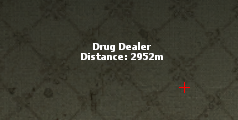
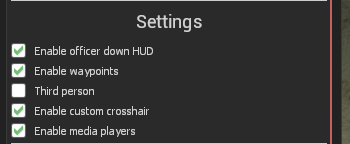
<p class="callout warning">The cocaine in your inventory will disappear if you die or get arrested, so be extra careful!  
</p>

This helpful map shows the possible locations a Drug Dealer NPC can be on CG (Red Enclosed Areas)

[![image.png](https://wiki.cloud-gaming.co.uk/uploads/images/gallery/2023-12/scaled-1680-/d1himage.png)](https://wiki.cloud-gaming.co.uk/uploads/images/gallery/2023-12/d1himage.png)
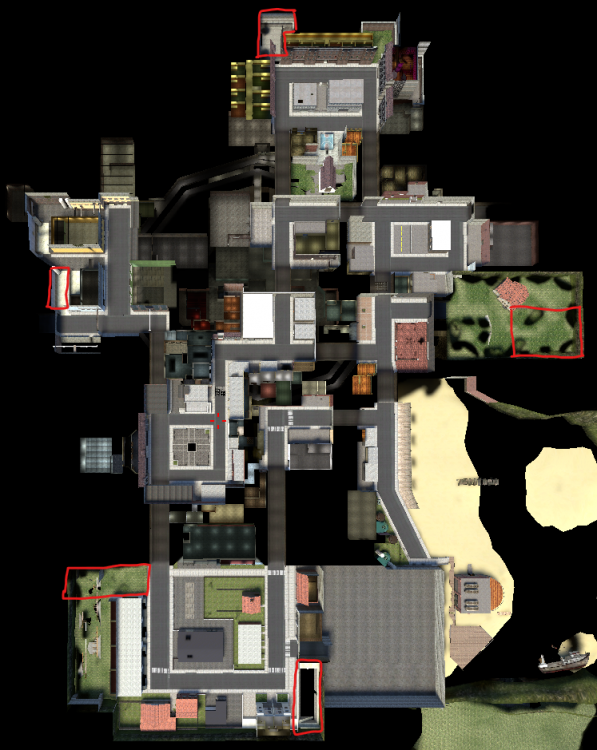
Now you've made your way to a Dealer, just approach them and press E, this will bring up a menu to sell your Drugs, just left click the Drug you want to sell and this will instantly sell it.

[![image.png](https://wiki.cloud-gaming.co.uk/uploads/images/gallery/2023-12/scaled-1680-/WEpimage.png)](https://wiki.cloud-gaming.co.uk/uploads/images/gallery/2023-12/WEpimage.png)[![image.png](https://wiki.cloud-gaming.co.uk/uploads/images/gallery/2023-12/scaled-1680-/b8himage.png)](https://wiki.cloud-gaming.co.uk/uploads/images/gallery/2023-12/b8himage.png)
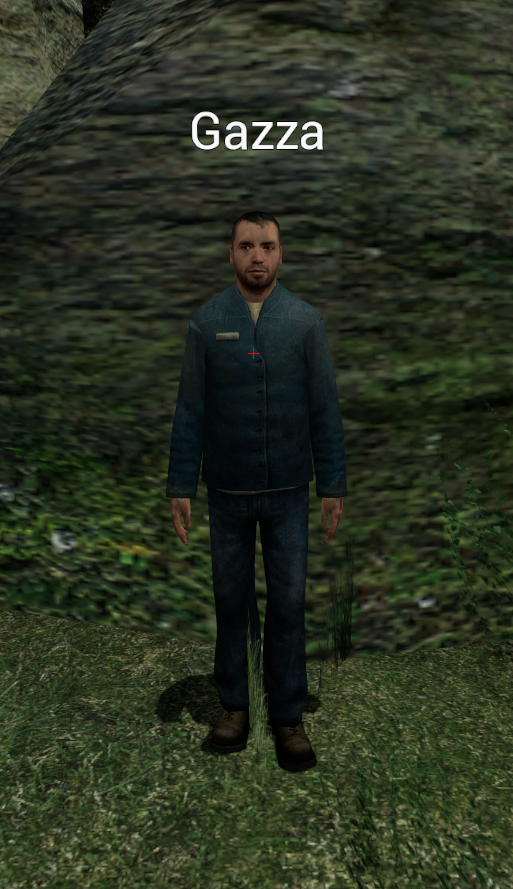
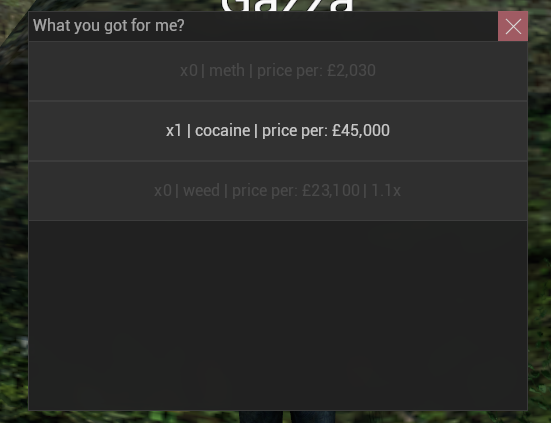
Dealer ^^^ Dealer Selling menu ^^^

Selling Cocaine will not make you Wanted unlike other drugs. It is the most expensive drug, however it takes a lot of work to efficiently create a lot of Cocaine, with the process being very intensive and hands on. For the best cooking experience it is best to be based with friends on other jobs who can help defend whilst you cook.

### **Misc info**

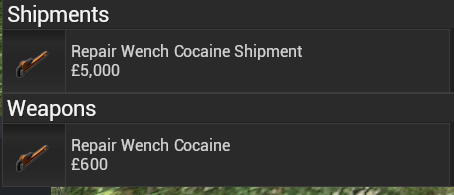
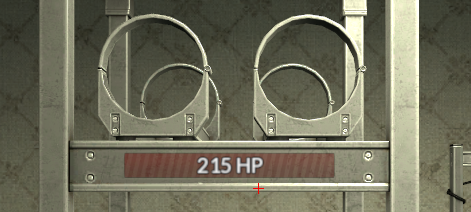
This whole time you have probably been wondering what the point of these wrenches are that you can buy in your Entities menu, these wrenches equip like a weapon and when you "attack" one of your 3 main cocaine entities with the wrench it will Repair any damage done to them, the only Entity that actually has a HP bar is the Stove however.

[![image.png](https://wiki.cloud-gaming.co.uk/uploads/images/gallery/2023-12/scaled-1680-/4Ujimage.png)](https://wiki.cloud-gaming.co.uk/uploads/images/gallery/2023-12/4Ujimage.png)[![image.png](https://wiki.cloud-gaming.co.uk/uploads/images/gallery/2023-12/scaled-1680-/uwHimage.png)](https://wiki.cloud-gaming.co.uk/uploads/images/gallery/2023-12/uwHimage.png)
Hopefully this page has helped you start up your cocaine empire, we hope to see you building it up on CG some time!