You take take money out of the printer at any time by pressing **use** while looking at it, but try not to take money out of the printer as soon as it prints! Leaving money in the printer will add a multiplier to how much it makes per print!
### **Stealing Printers and Self Destruction** Somebody stolen your printer? Worry not! Simply type **!selfdestruct** in chat to start a countdown of **40 minutes.** If you find your printer while this countdown timer is happening, you can simply press **use** (E by default) to cancel the timer.Once the timer is up, the printer will explode.
# Crypto Mining ### **Choosing a Crypto** To choose a crypto, simply press **use** (E by default) on the **crypto miner.** The best crypto to mine can change at any time, so take a look at things like the **rate** to figure out what crypto is worth mining! ### **Withdrawing Crypto into your Ledger** To withdraw crypto, simply press **use** on the **crypto miner,** and click **withdraw.**You can only have one type of Crypto in your ledger at a time. You keep what's in your ledger, even after death, but try not to get mugged!
### **Selling your Crypto** To sell your crypto, simply walk up to a **crypto computer.** These can be found in front of the **bank,** in front of the **residential gas station,** and next to the inventory bank on **beach.** Simply click **quick sell** to sell all of the crypto in your ledger. # MoonshinePlease note that this video is slightly older, and may differ slightly from the current state of how Moonshine works
**After brewing, Moonshine no longer requires you to interact with the finished bottle to sell it. Money is instead stored inside of the brewer. To get the money, simply interact with the brewer itself.**
# Weed ### **Grow Formula** Grow Formula allows you to put more than 1 seed into your weed pot at a time. By default, you can have **one** grow formula added to your pot which allows your pot to hold **2 weed seeds** at a time. If your gang has purchased the upgrade in the credit store, however, you can put an additional grow formula in the pot; this allows a total of **3 weed seeds** at a time! ### **Growing Weed** To grow weed simply open the **F4 > Entities** menu and click **Stardawg Seeds.** Place these seeds into your **weed pot** and then give it time to grow. Once the pot says **Ready To Harvest!** press **use** (E by default) to remove the bags of weed from the weed pot. If you have a Weed Box you can store these weed ounces in there. ### **Selling your Weed** Whether you grew the weed or stole it, you can sell it to drug dealers across the map. You have to find a drug dealer or follow the marker that appears on your screen.They move positions after a certain period of time, so the same dealer wont always be in the spot you saw them last! The more CP that are online, the more money you gain when you sell!
There are 2 normally, but if enough players are on there can be 3. Below is a map of downtown and the highlighted areas are where the drug dealers can spawn. Your weed sells over time and makes you wanted, so get ready to defend yourself and run home! [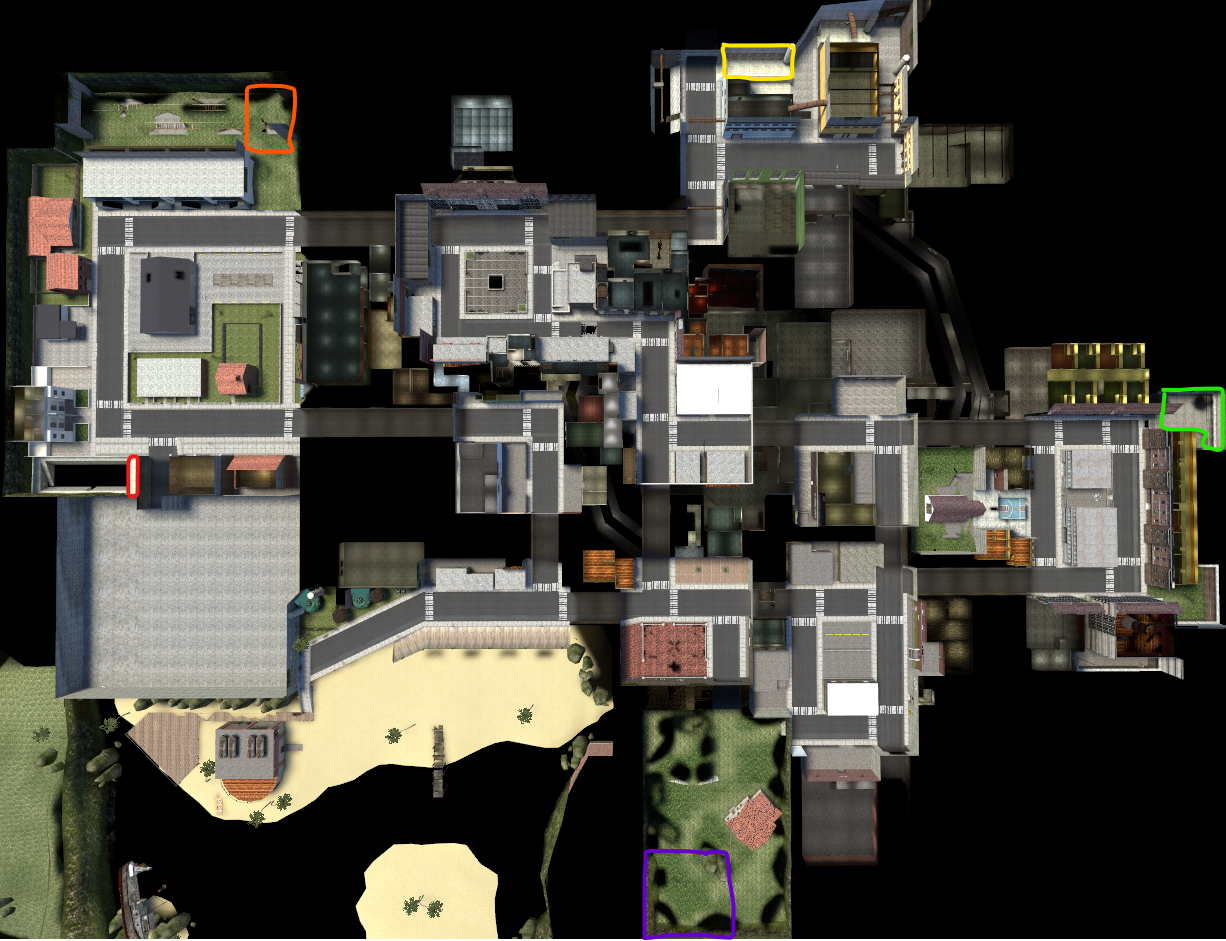](https://wiki.cloud-gaming.co.uk/uploads/images/gallery/2023-12/Yunimage.png) ##### **Residential Dealer 1 - Red ** [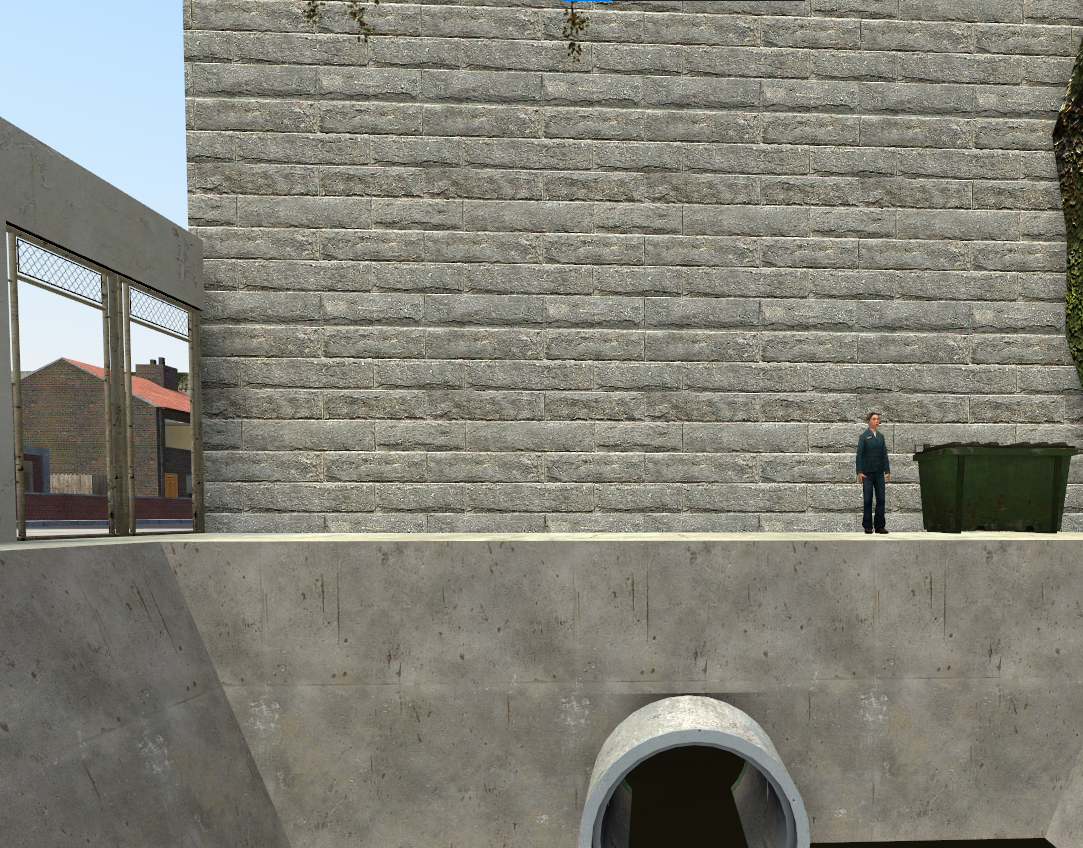](https://wiki.cloud-gaming.co.uk/uploads/images/gallery/2023-12/Fksimage.png) ##### **Residential Dealer 2 - Orange** **[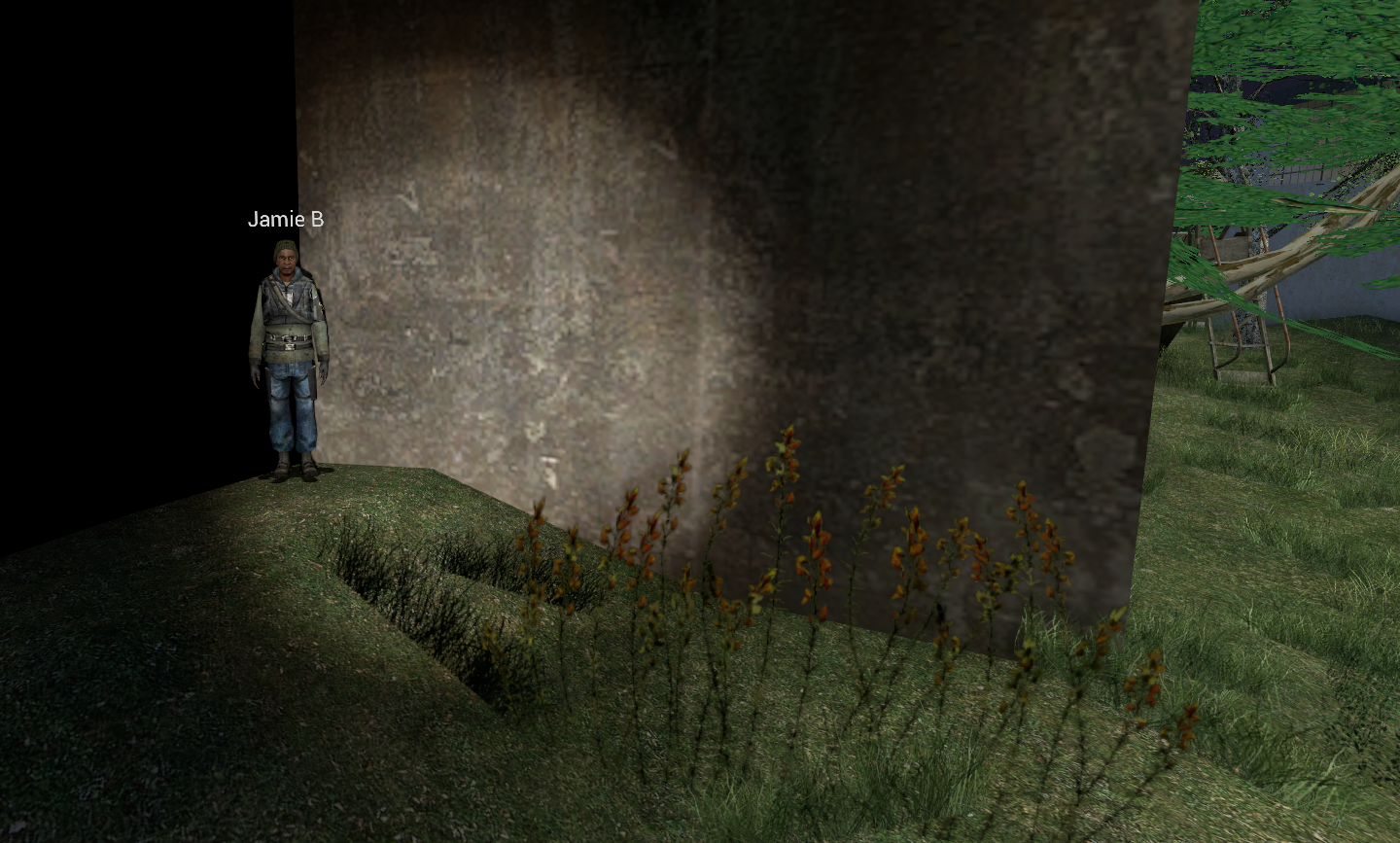](https://wiki.cloud-gaming.co.uk/uploads/images/gallery/2023-12/uooimage.png)** ##### **Industrial Dealer - Yellow ** [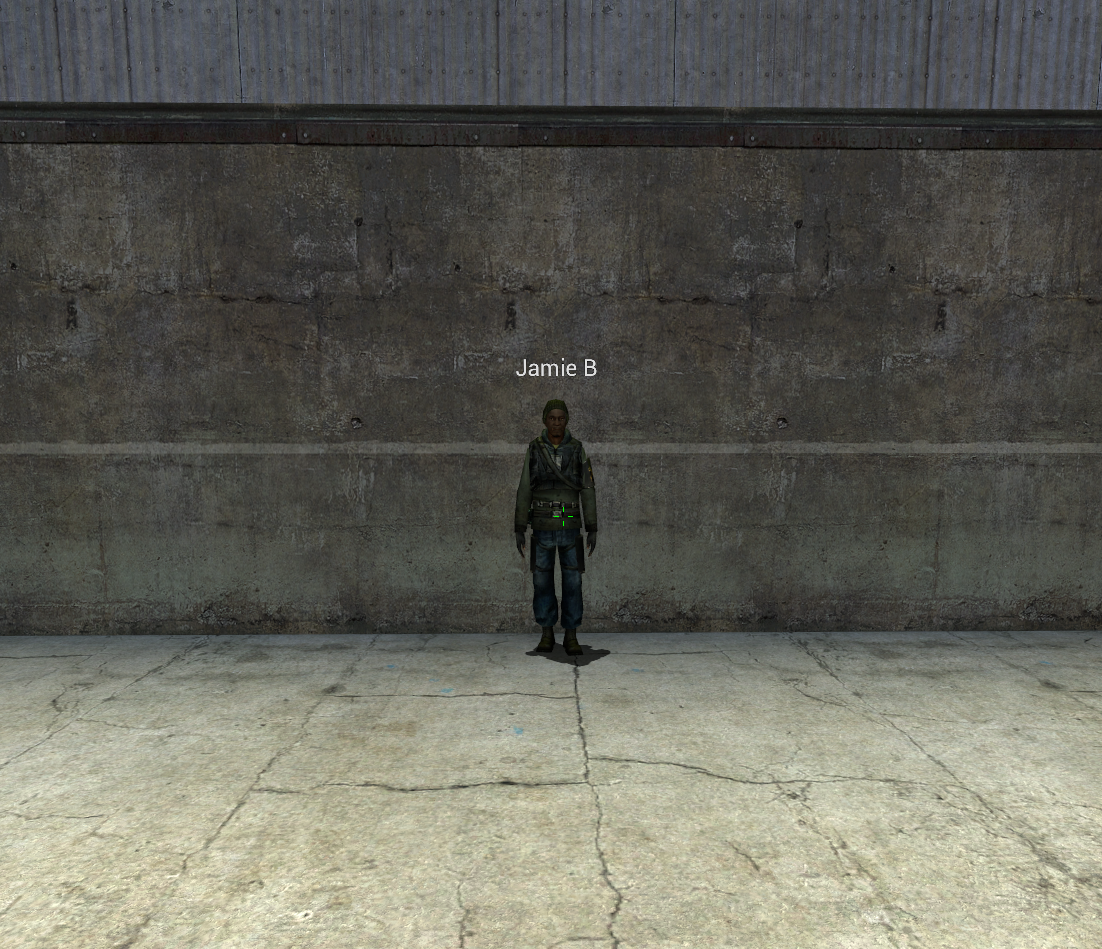](https://wiki.cloud-gaming.co.uk/uploads/images/gallery/2023-12/3E2image.png) ##### **Farm Dealer - Purple** ##### [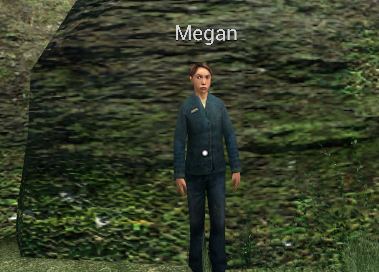](https://wiki.cloud-gaming.co.uk/uploads/images/gallery/2023-12/XGiimage.png) ##### **Oakyville Dealer - Green** [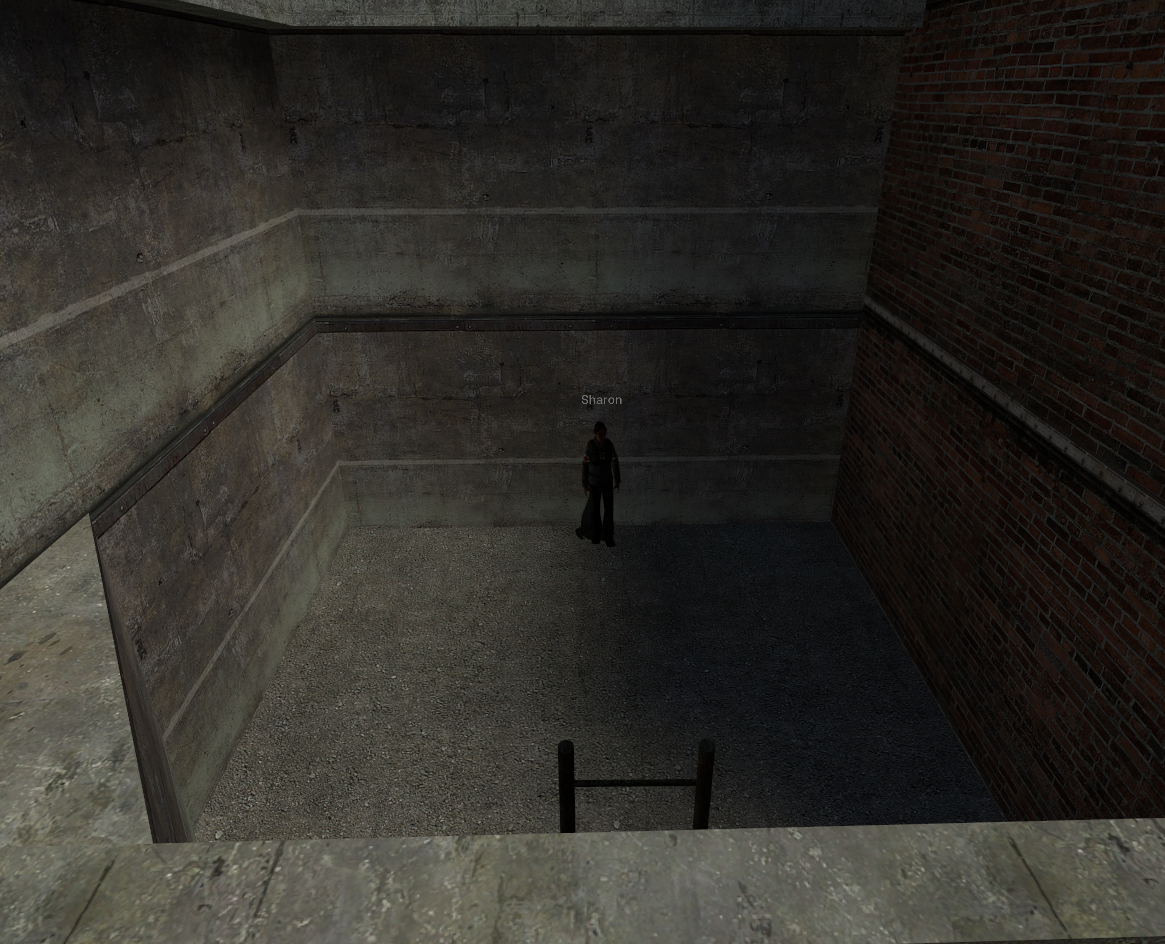](https://wiki.cloud-gaming.co.uk/uploads/images/gallery/2023-12/j93image.png) # Meth ### **How to cook Meth** You will need to be a **meth cook** to access the meth entities. To do this simply: ##### **F4** > **Jobs** or type **/methcook** in chat [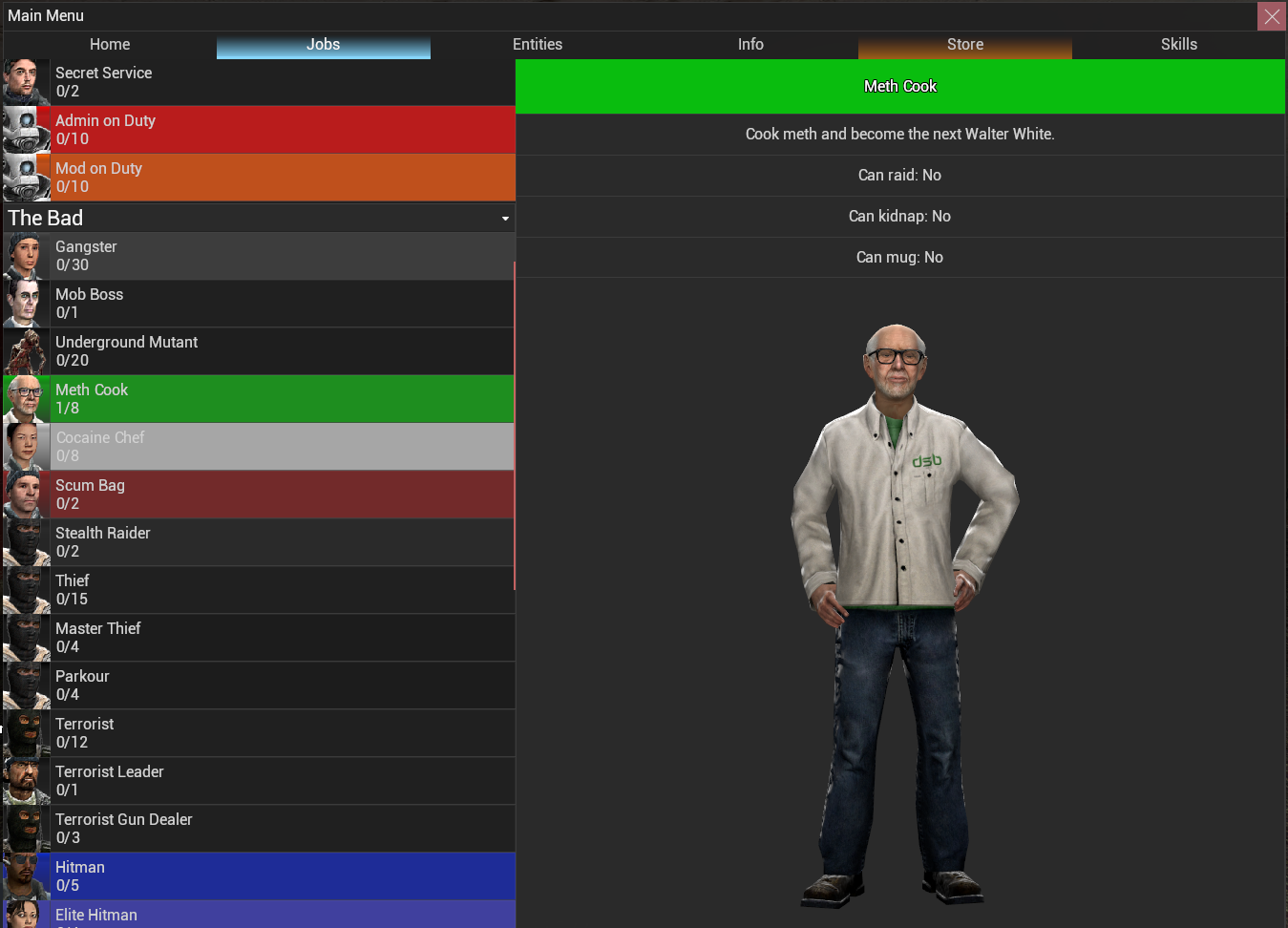](https://wiki.cloud-gaming.co.uk/uploads/images/gallery/2023-12/screenshot-2023-12-23-172324.png) [](https://wiki.cloud-gaming.co.uk/uploads/images/gallery/2023-12/Yvescreenshot-2023-12-23-172736.png)The Pot holds a maximum of **10L** of both **Acid and Sulfur.**
##### [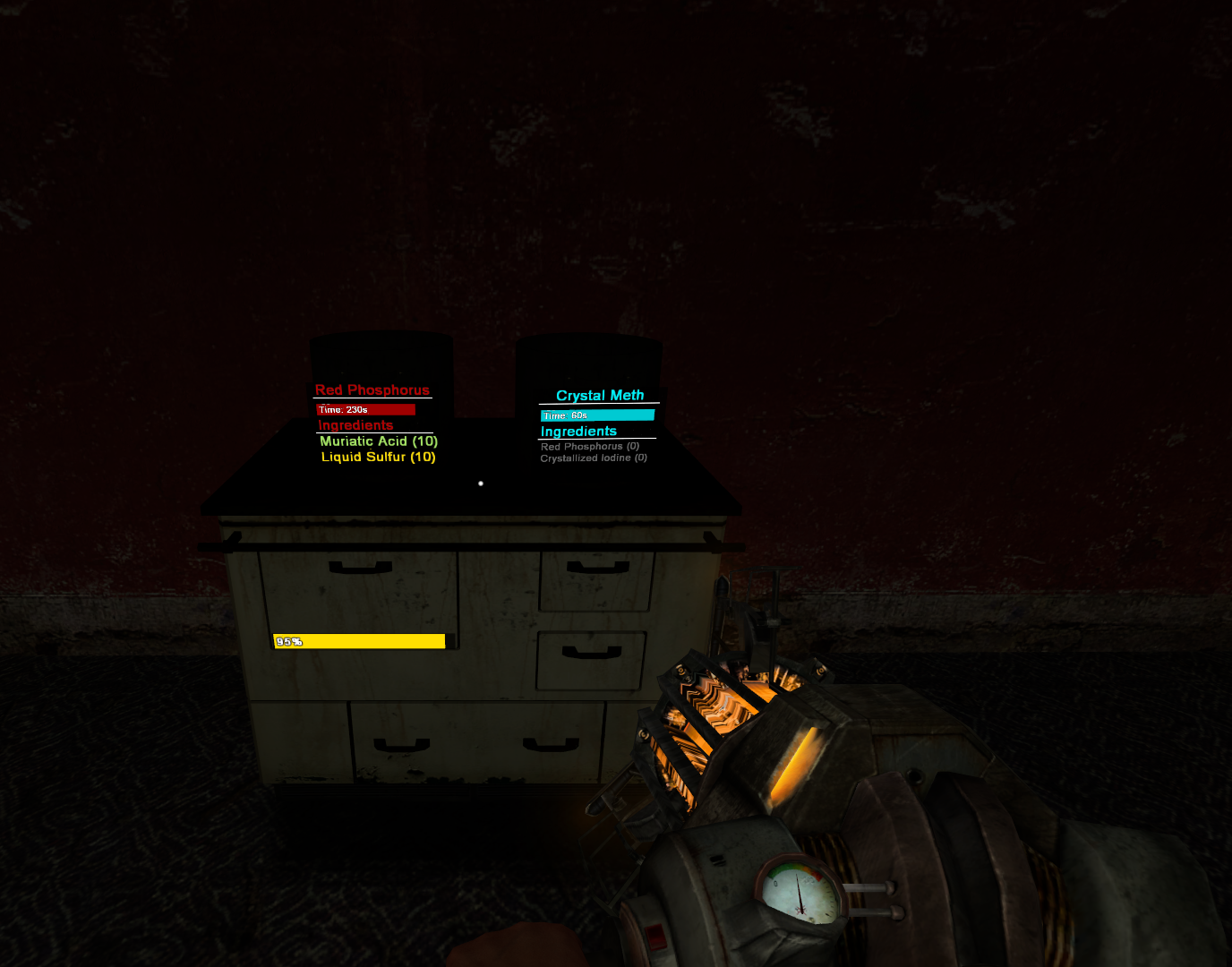](https://wiki.cloud-gaming.co.uk/uploads/images/gallery/2023-12/cb7image.png) While your mixture is cooking you can start making **Crystallized Iodine**, to do this, spawn a **Jar** [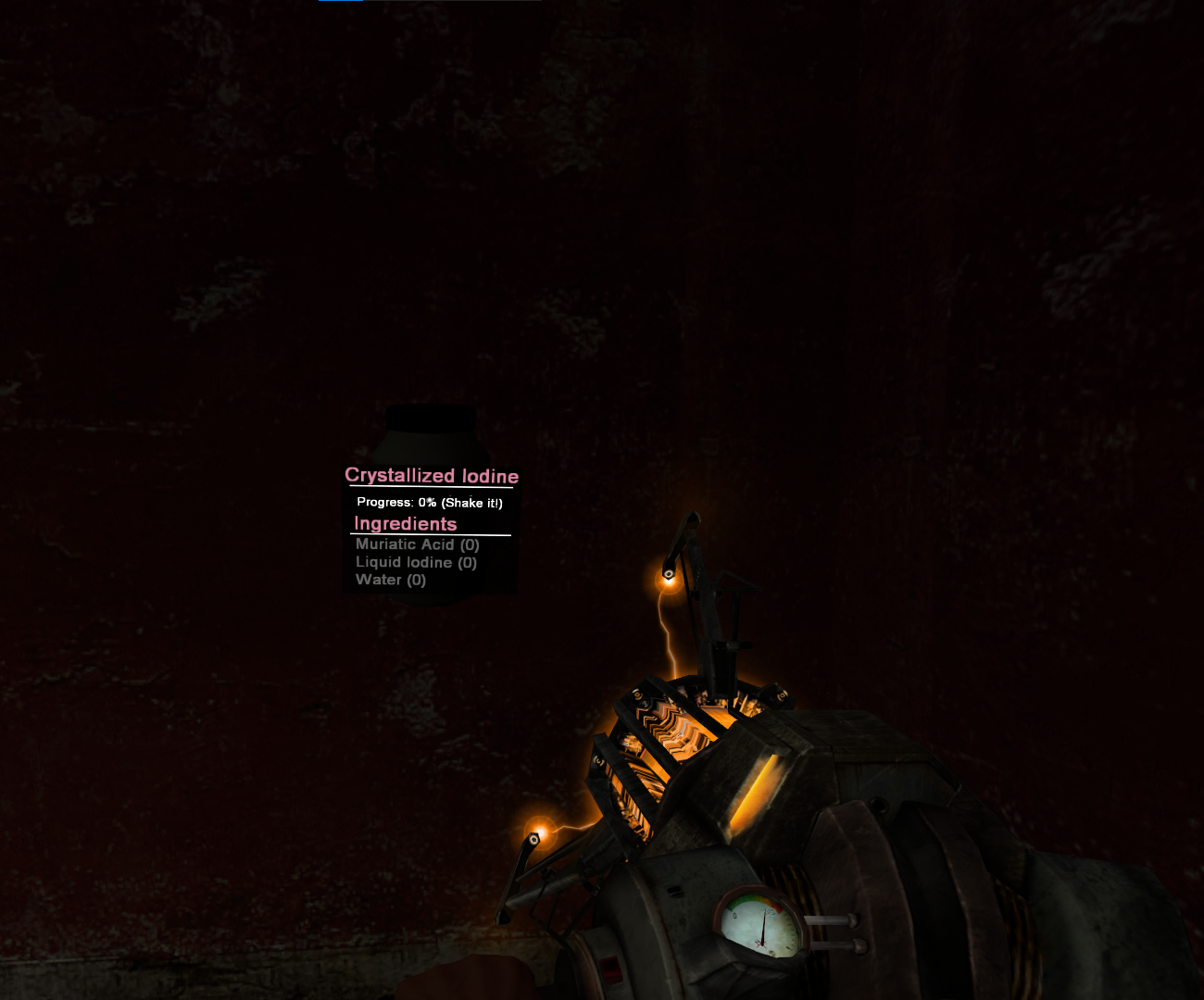](https://wiki.cloud-gaming.co.uk/uploads/images/gallery/2023-12/p46image.png) Add **Muriatic Acid**, **Liquid Iodine** and **Water** to the **Jar** and **shake it with your gravity gun.**As with the Pot, the Jar has a maximum of **10L per item**, the more you add to more you obtain.
You will know its been shook enough when it says **"Ready! Use to Extract"** Simply press E on it and you will receive your **Crystallized Iodine**! [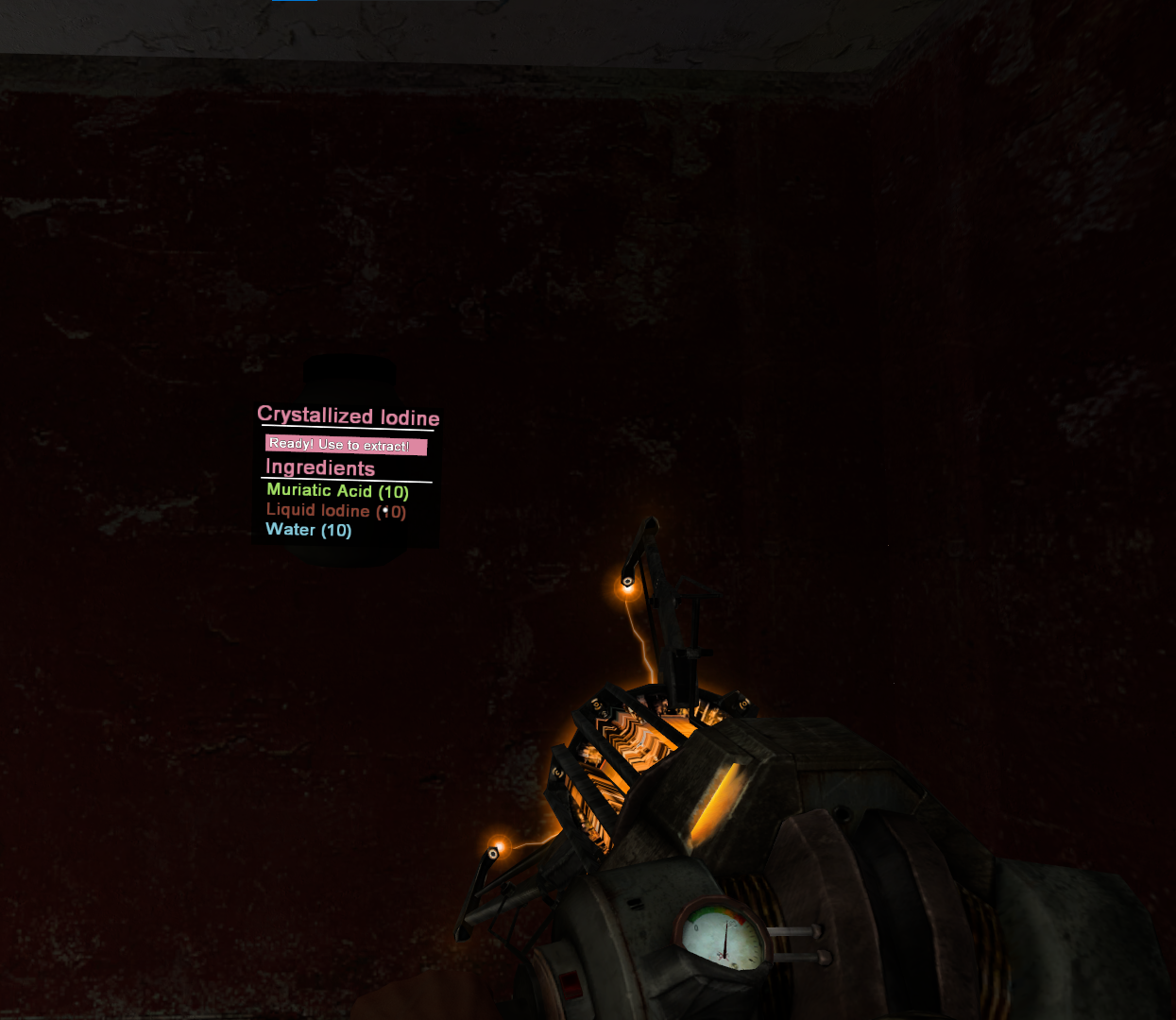](https://wiki.cloud-gaming.co.uk/uploads/images/gallery/2023-12/Ekcimage.png) Now with your **Pot** finished cooking, press E on it and put the **Crystallized Iodine** and **Red Phosphorous** into the **Special Pot****.** ##### [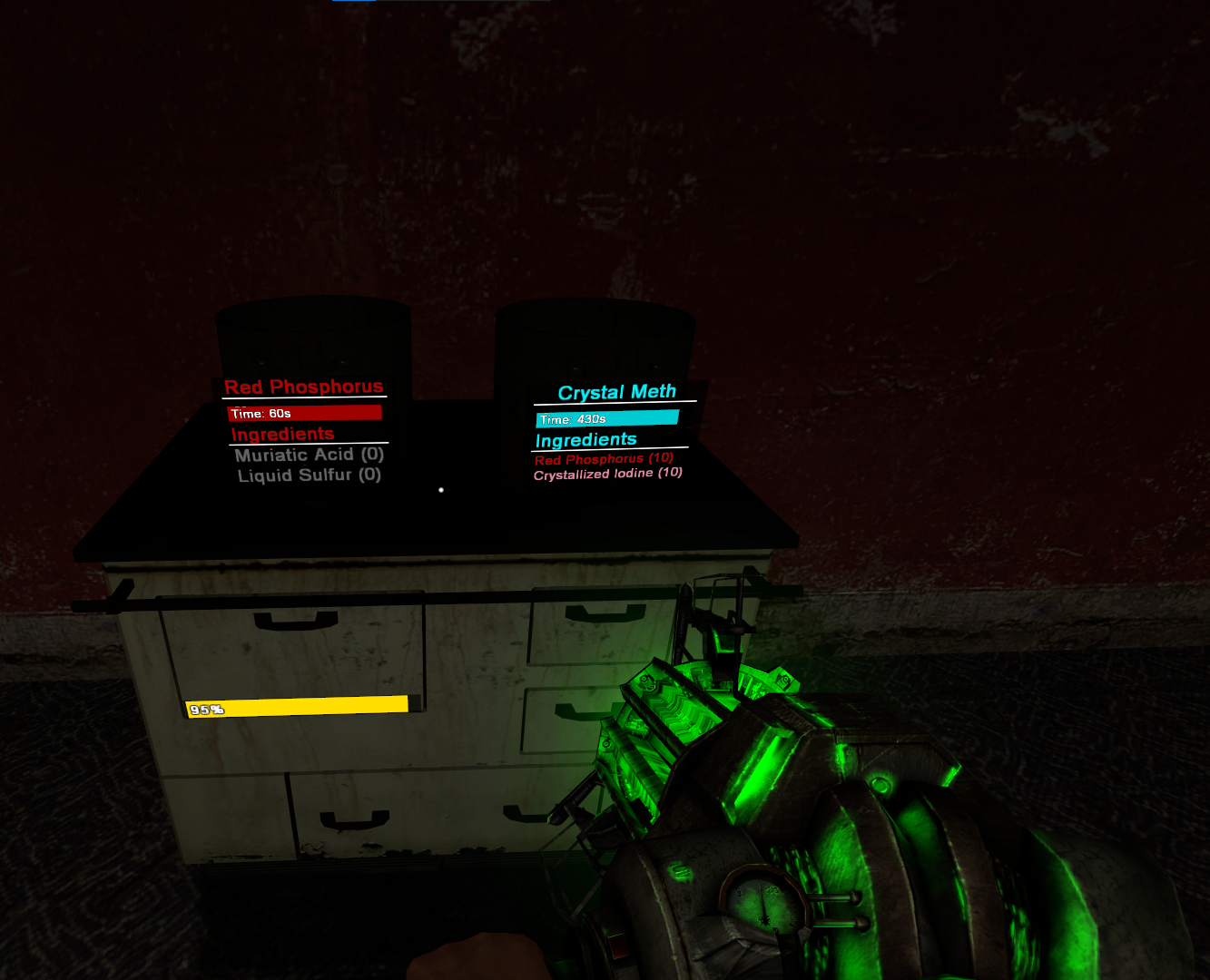](https://wiki.cloud-gaming.co.uk/uploads/images/gallery/2023-12/Eh0image.png) After some time your stove may run out of fuel, to refuel it spawn a **Gas Canister** and drag it into the **Stove**. The **more things cooking at once**, the **more fuel will be used**. Once your Meth has finished cooking, press E to extract it and to pick it up, once you pick it up **it will take a slot in your inventory.** [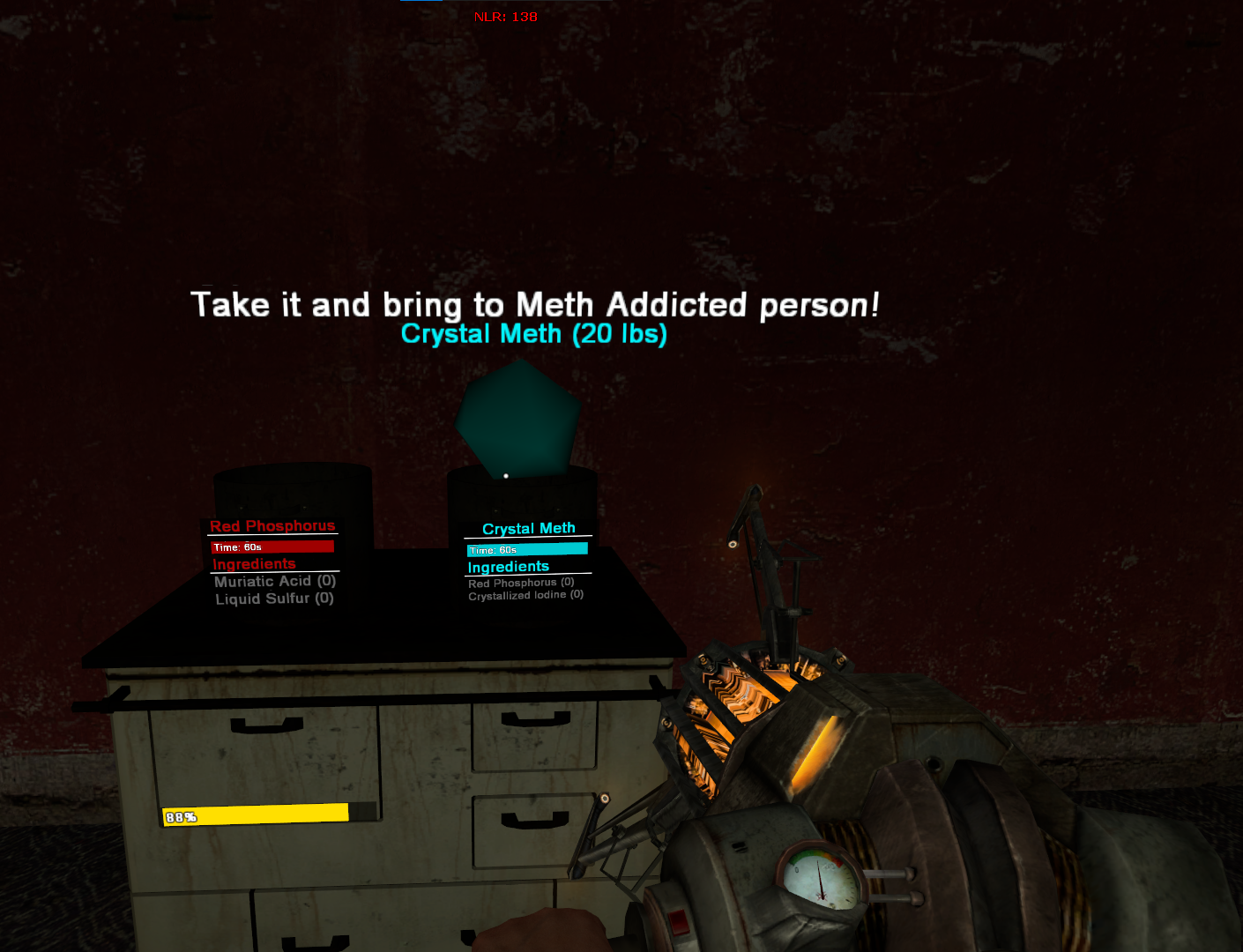](https://wiki.cloud-gaming.co.uk/uploads/images/gallery/2023-12/pn3image.png)[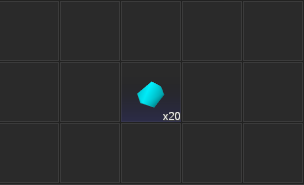](https://wiki.cloud-gaming.co.uk/uploads/images/gallery/2023-12/WmUimage.png)They move positions after a certain period of time, so the same dealer wont always be in the spot you saw them last! The more CP that are online, the more money you gain when you sell!
There are 2 normally, but if enough players are on there can be 3. Below is a map of downtown and the highlighted areas are where the drug dealers can spawn. It sells instantly, however it makes you **wanted** so get ready to run home! [](https://wiki.cloud-gaming.co.uk/uploads/images/gallery/2023-12/Yunimage.png) ##### **Residential Dealer 1 - Red ** [](https://wiki.cloud-gaming.co.uk/uploads/images/gallery/2023-12/Fksimage.png) ##### **Residential Dealer 2 - Orange** **[](https://wiki.cloud-gaming.co.uk/uploads/images/gallery/2023-12/uooimage.png)** ##### **Industrial Dealer - Yellow ** [](https://wiki.cloud-gaming.co.uk/uploads/images/gallery/2023-12/3E2image.png) ##### **Farm Dealer - Purple** ##### [](https://wiki.cloud-gaming.co.uk/uploads/images/gallery/2023-12/XGiimage.png) ##### **Oakyville Dealer - Green** [](https://wiki.cloud-gaming.co.uk/uploads/images/gallery/2023-12/j93image.png)The bottom bar in the image above is the product that comes from your Stove in the cooking phase, requiring 4x Full Cooking pots to fill the machine
### **Setting up your entities, No.3 Drying Rack** The **Drying Rack** is the most simple, just **spawn it in** and move it to your desired location and you will need to add **2x Batteries.** It should look like this when set up:Only the front 2 are cooked on this photo. The 2 at the back are still cooking.
The **thermometers will disappear** and the liquid will now be a **murky beige colour.** You can now move these pots to the Extractor and it will start filling the bottom bar. This will also **empty the pots** allowing you to **refill them** with **Water** and **Baking Soda** and **cook again** on the Stove. When these 4x Cooking pots that fully cooked are moved into the Extractor, the 2 lights will be off and it will look like this below, if it looks like this just press E on the Extractor and it will start. [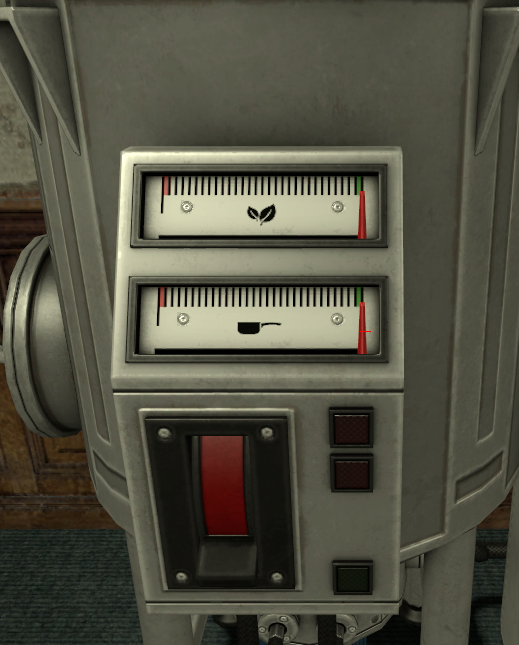](https://wiki.cloud-gaming.co.uk/uploads/images/gallery/2023-12/eAjimage.png)[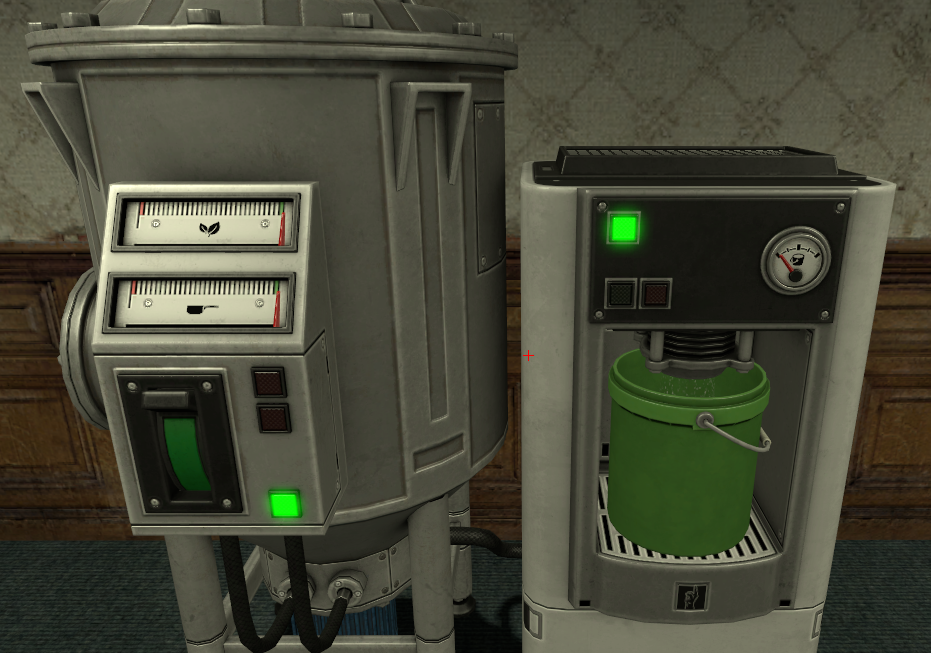](https://wiki.cloud-gaming.co.uk/uploads/images/gallery/2023-12/WSximage.png)Left = Before starting extraction Right = After pressing E on the full machine
When this is completed, the machine will reset to how it was in the setting up your entities (stage 2) and it will need to be refilled. You will also now be able to **move the Bucket** to your **Drying Rack** and then moving the bucket **back to the extractor** to reset the extractor fully. [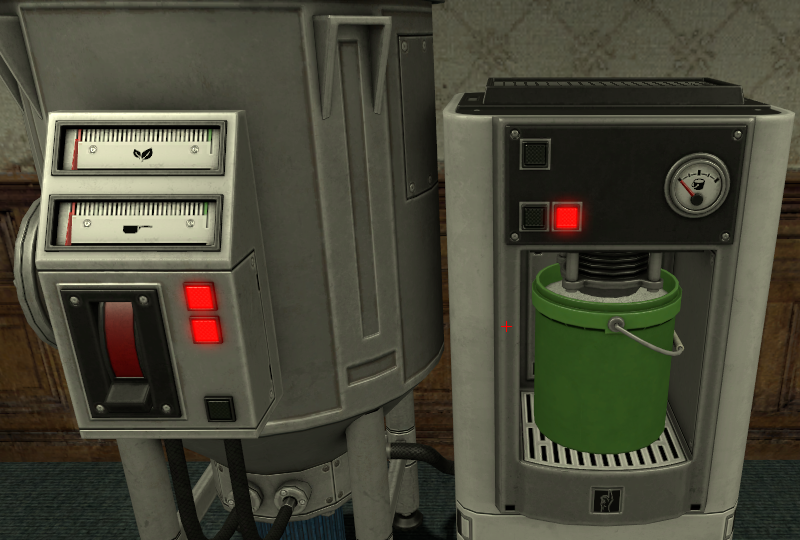](https://wiki.cloud-gaming.co.uk/uploads/images/gallery/2023-12/icZimage.png)Finished Extractor
Moving the Bucket from the **Extractor** to the **Drying Rack** should cause it to look like this: [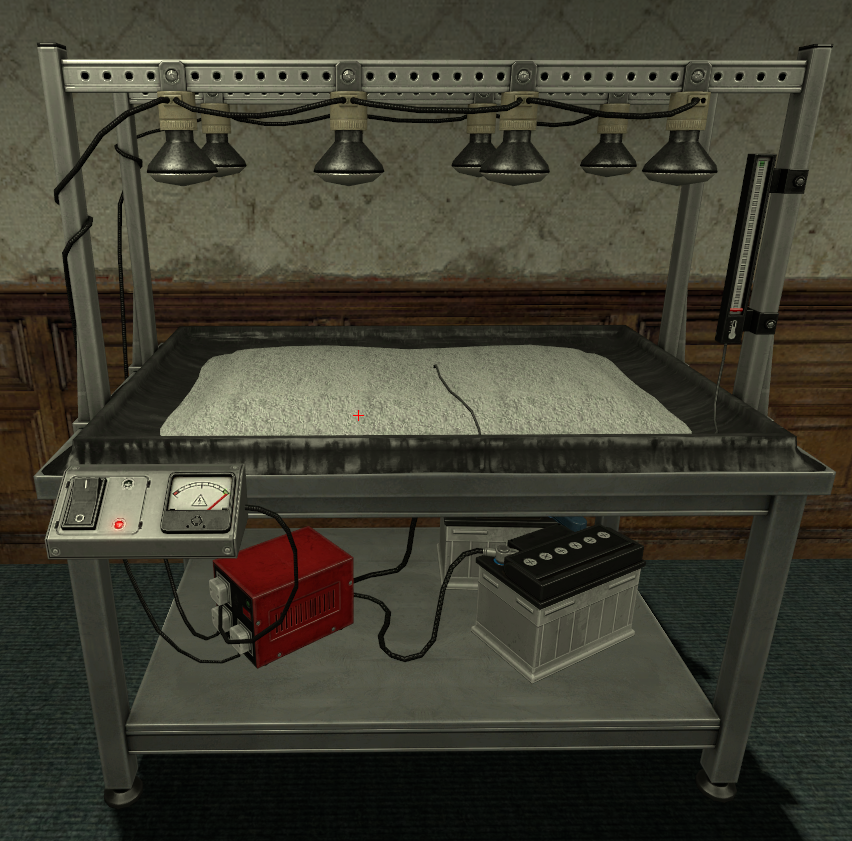](https://wiki.cloud-gaming.co.uk/uploads/images/gallery/2023-12/xUgimage.png) When ready to start drying, just press E on the Machine. **But be wary!** Like with the **Gas Canisters** in the **Stove**, the **Batteries run out** and will need to be **replaced.** You can have 2 on the machine at a time.If, whilst drying, both batteries run out you will **lose your cocaine** and have to **restart the processes** prior to this.
[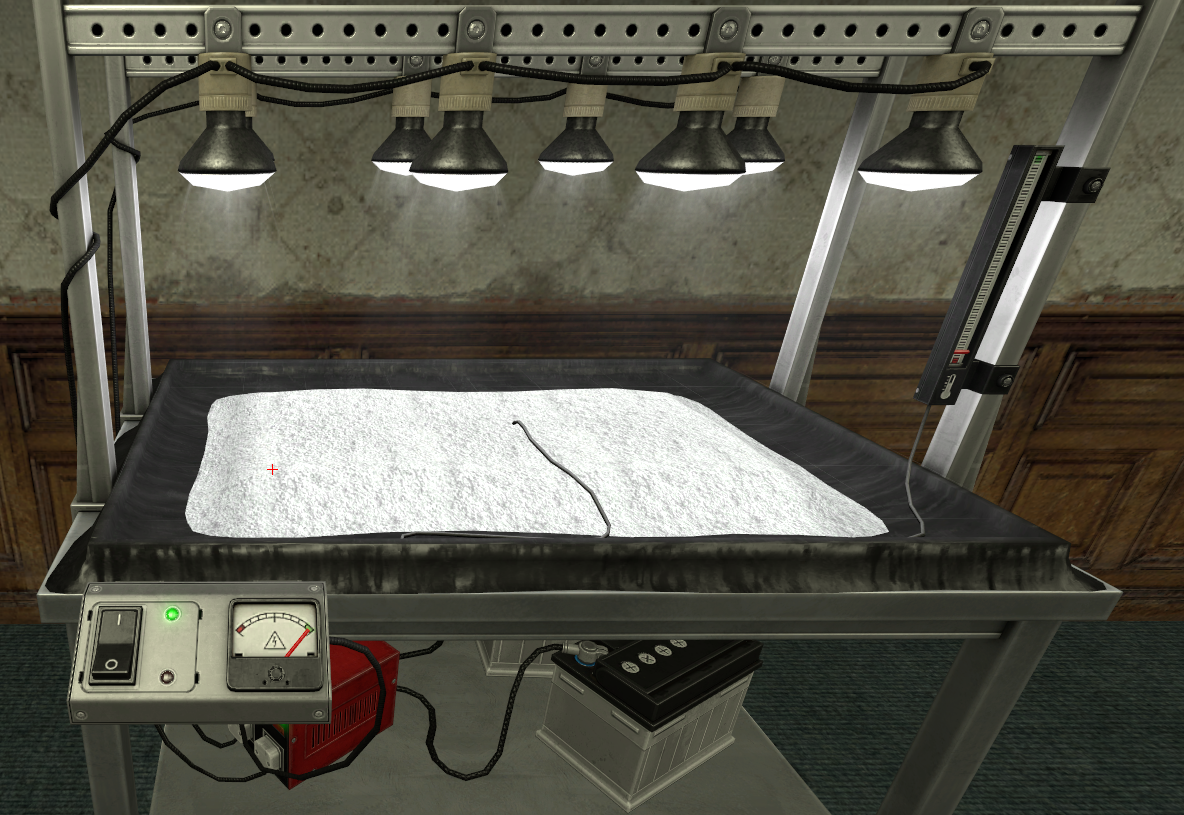](https://wiki.cloud-gaming.co.uk/uploads/images/gallery/2023-12/JWJimage.png)[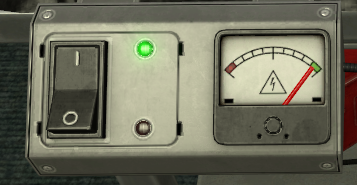](https://wiki.cloud-gaming.co.uk/uploads/images/gallery/2023-12/TpBimage.png)Drying Rack in action. MAKE SURE TO KEEP AN EYE ON THIS BAR (right)! It is the same principle as the **Gas Canisters** in the **Stove**.
When the Drying Rack is finished it should look like this: [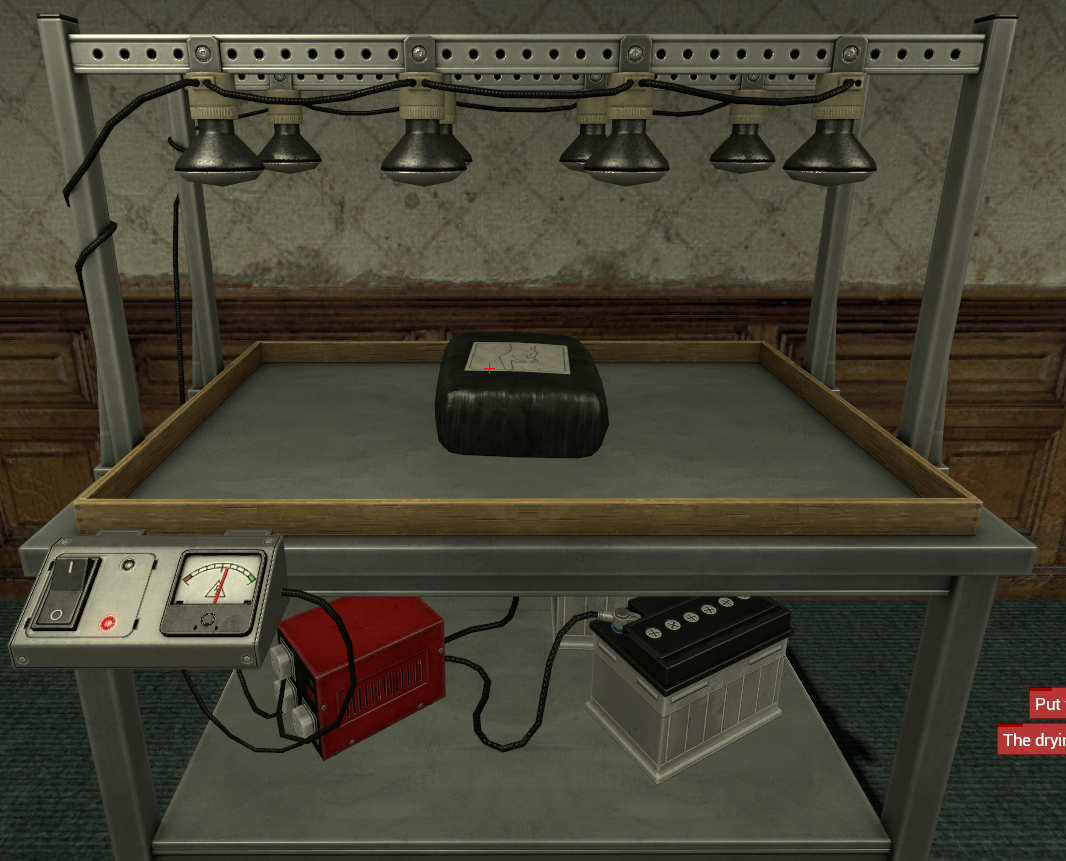](https://wiki.cloud-gaming.co.uk/uploads/images/gallery/2023-12/gLAimage.png) Pressing E on that **bag** will add 1x Cocaine to your **Inventory** which you can access by **holding C** or by scrolling to the **Inventory** swep and right clicking. [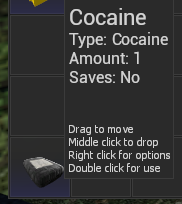](https://wiki.cloud-gaming.co.uk/uploads/images/gallery/2023-12/xw4image.png) ### **Selling your product** A very easy way to know where Drug Dealer NPCs are is to have the waypoint setting turned **on**, to find this go in the **F4** > **Home** menu and then on the right side make sure **"Enable Waypoints"** is **ticked** in the **Settings** section. This will cause this to show on your screen whenever you pick up Drugs, showing the exact location of a Drug Dealer NPC you can sell your drugs to. [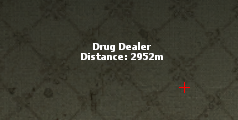](https://wiki.cloud-gaming.co.uk/uploads/images/gallery/2023-12/YCPimage.png)[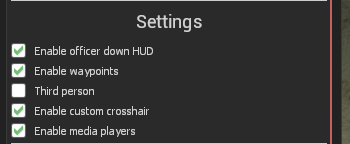](https://wiki.cloud-gaming.co.uk/uploads/images/gallery/2023-12/lBdimage.png)The cocaine in your inventory will disappear if you die or get arrested, so be extra careful!
This helpful map shows the possible locations a Drug Dealer NPC can be on CG (Red Enclosed Areas) [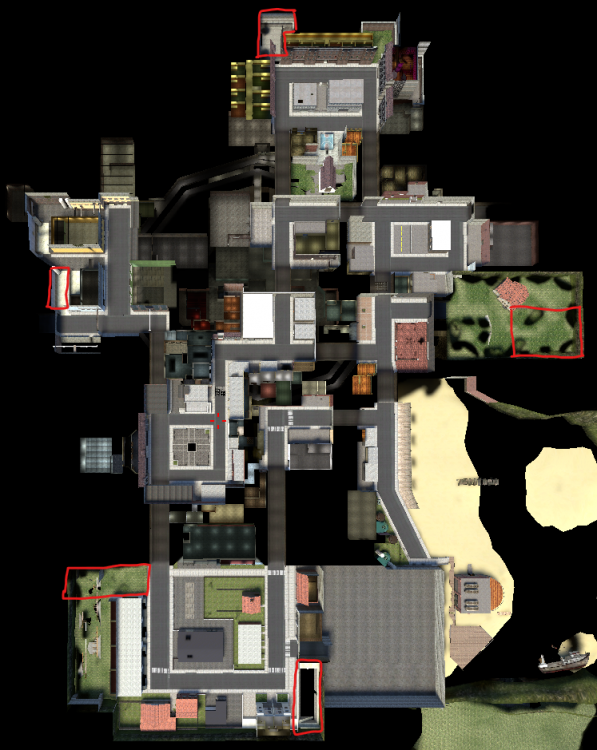](https://wiki.cloud-gaming.co.uk/uploads/images/gallery/2023-12/d1himage.png) Now you've made your way to a Dealer, just approach them and press E, this will bring up a menu to sell your Drugs, just left click the Drug you want to sell and this will instantly sell it. [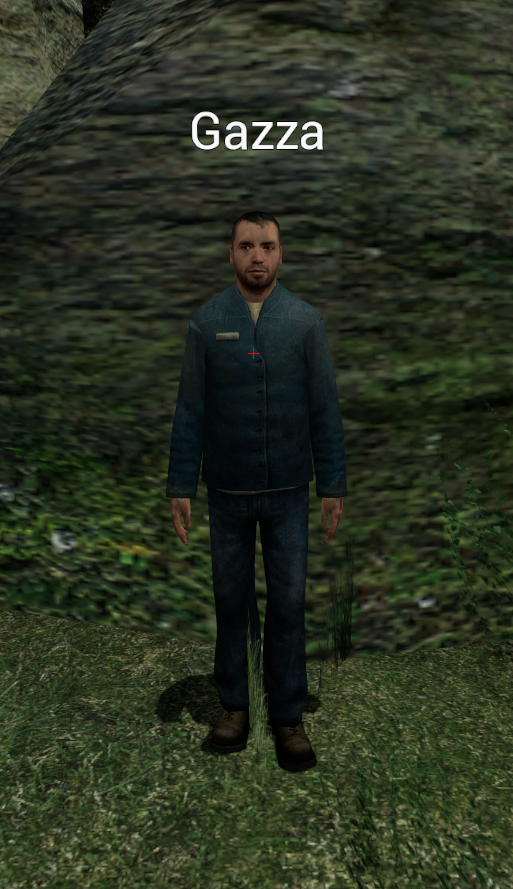](https://wiki.cloud-gaming.co.uk/uploads/images/gallery/2023-12/WEpimage.png)[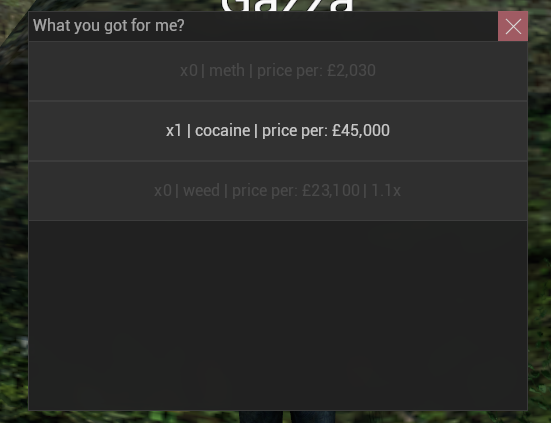](https://wiki.cloud-gaming.co.uk/uploads/images/gallery/2023-12/b8himage.png) Dealer ^^^ Dealer Selling menu ^^^ Selling Cocaine will not make you Wanted unlike other drugs. It is the most expensive drug, however it takes a lot of work to efficiently create a lot of Cocaine, with the process being very intensive and hands on. For the best cooking experience it is best to be based with friends on other jobs who can help defend whilst you cook. ### **Misc info** This whole time you have probably been wondering what the point of these wrenches are that you can buy in your Entities menu, these wrenches equip like a weapon and when you "attack" one of your 3 main cocaine entities with the wrench it will Repair any damage done to them, the only Entity that actually has a HP bar is the Stove however. [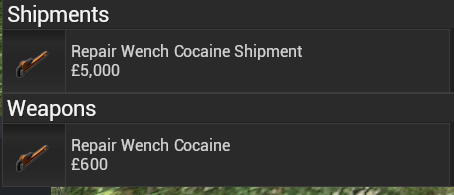](https://wiki.cloud-gaming.co.uk/uploads/images/gallery/2023-12/4Ujimage.png)[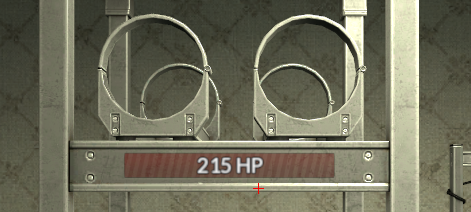](https://wiki.cloud-gaming.co.uk/uploads/images/gallery/2023-12/uwHimage.png) Hopefully this page has helped you start up your cocaine empire, we hope to see you building it up on CG some time! # Bank Raids ### **Starting a Bank Raid** To start a bank raid, simply hit the **vault entity** in the **bank vault** with a hammer or a weapon. If there are less than 10 players online, no CP officers online or you are playing as a job that can't raid bank, you will get an error in chat stating that you cant start a bank raid. ### **Defending a Bank Raid** While defending the bank against Civil Protection, the same rules apply as defending a base. This means you **cannot use explosives** or any of the **banned weapons** under **rule 3.8.** You may kill any players that enter the bank during your raid. ### **Selling your Gold Bars** Just outside the bank to your left (behind PD) is the **Gold Buyer.** Simply press **use** (E by default) while looking at the Gold Buyer to instantly sell your gold bars. # Entities # TV # Terminal & Camera ### **How to Use** The Camera and Terminal work together to let you watch over your base remotely. Cameras are placed around your property to cover entrances, hallways, and blind spots, while the Terminal acts as the screen that lets you view what the camera sees. To use them, buy and place your Camera in the spots you want to watch, then place a Terminal somewhere safe inside your base - usually your back room. Press **E** on the Terminal to bring up the camera feed to keep an eye on raiders. This is great for spotting people approaching your base early and reacting before they reach your entrance. Remember that cameras still count as base entities, so they must follow all normal basing and prop rules. # Metal Detector ### **How to Use** The Metal Detector is used to check whether players walking through it are carrying weapons. It's mainly used at checkpoints and by security to catch armed players before they get any further. To use it, place the Metal Detector in a doorway or narrow path where players have to walk through it. When someone passes through while carrying a weapon, it will alert you by making a noise and turned red - making it a valid roleplay reason to search, AOS, or act on that player depending on the situation and any active laws. Make sure the detector is placed somewhere players can actually walk through normally, and that it isn't used to prop-block or trap people, as that breaks the basing rules. # Medic Armor and Health charger ### **How to Use** The Medic Armor Charger and Health Charger are entities used to restore players' armor and health. They are mainly used by the Medic job to heal and resupply other players as part of roleplay. To use them, place the charger down and let players walk up and press **E** on it to top up their health or armor. Chargers are a handy way for medics to earn money by offering healing and armor as a service to other players around the map. # Armor Charger (TKN & CJ) ### **How to Use** The Armor Charger is an entity that lets players top up their armor. This version is the one available through Tokens (TKN) and on Custom Jobs (CJ), so it is tied to your job or purchase rather than the Medic job. To use it, place the charger down inside your base, then press **E** on it to refill your armor. It is a quick way to keep yourself topped up before a raid or defence without needing a medic to come to you. # Arena # Gang Arena ### **Overview** The Gang Arena is the team deathmatch side of the new arena system, built for gang versus gang fights. You create a game, invite another gang to play against, and battle it out on custom made arena maps. ### **How it Works** To get started, create a game and invite the gang you want to face. Gangs have their own separate ELO from individual players, so your results here affect your gang's ranking and its place among the custom Cloud Gaming ranks. Matches are played on custom made arena maps built by the QA and event mapping team, and multiple arenas can run at the same time, so you will not be left waiting for a free map. ### **ELO & Cooldowns** The arena uses an ELO system with custom Cloud Gaming ranks. After you play the same gang in an ELO match 3 times, there is a 3 hour cooldown before those matches will count towards ELO again. You can keep playing them during that time, as long as the game is set not to affect ELO. ### **Wagering** You can wager gang credits or RP cash on a match. When wagering RP cash, multiple people can deposit into the pot. Upon winning, only the players who deposited get their money doubled, and a small fee is taken on all RP cash wagers. ### **Optional Settings** - Whether or not the game affects ELO - Whether or not you want to wager anything - Loadout: use a preset loadout or your own permas # 1v1 Arena ### **Overview** The 1v1 Arena is the one versus one side of the new arena system, built for settling fights between two players. You create a game, invite someone to play against, and face off on custom made arena maps. ### **How it Works** To get started, create a game and invite the player you want to fight. Player ELO is tracked separately from gang ELO, so your 1v1 results affect your own personal ranking rather than your gang's. Matches are played on custom made arena maps built by the QA and event mapping team, and multiple arenas can run at the same time, so several 1v1s can be going on at once. ### **ELO & Cooldowns** The arena uses an ELO system with custom Cloud Gaming ranks. After you play the same person in an ELO match 3 times, there is a 3 hour cooldown before those matches will count towards ELO again. You can keep playing them during that time, as long as the game is set not to affect ELO. ### **Wagering** You can wager gang credits or RP cash on a match. When wagering RP cash, multiple people can deposit into the pot. Upon winning, only the players who deposited get their money doubled, and a small fee is taken on all RP cash wagers. ### **Optional Settings** - Whether or not the game affects ELO - Whether or not you want to wager anything - Loadout: use a preset loadout or your own permas # Legacy Rewards ### **Overview** **Legacy rewards** let you spend what you had before the reset. Your old RP cash and gang prestige points were saved as a **snapshot**, and the Legacy rewards menu is where you turn that snapshot into permanent unlocks. The menu has **two tabs**; - **RP Cash** spends your old cash on rewards for **your own character**. - **Gangs** spends old prestige points on rewards for your **entire gang**. The bar at the top of each tab shows your **Remaining** balance and how much you have **Spent** so far. The snapshot does not refill, so once it is gone it is gone. Money you earn after the reset cannot be used here. ### **RP Cash** These are **personal** rewards. Anything you buy here is unlocked for **you only** and is kept permanently.| **Reward** | **Cost** | **What you get** |
| **Magic Diamond Sword** | £1,000,000,000 | Permanent weapon. A diamond MC sword with magic sword abilities. |
| **BO1 Ballistic Knives** | £750,000,000 | Permanent weapon. |
| **Jetski** | £500,000,000 | Adds the Jet Ski to your Cloud vehicles menu. Spawn or store it like any other owned vehicle. |
| **BO1 Compound Bow** | £300,000,000 | Permanent weapon. |
| **BO1 Commando** | £100,000,000 | Permanent weapon. |
| **Reward** | **Cost** | **What you get** |
| **Custom gang playermodel** | 4 prestige pts | A custom playermodel for your gang. |
| **Custom gun (Workshop)** | 2 prestige pts | One custom gun from the Steam Workshop. Legacy prestige only. |
| **Custom billboard** | 2 prestige pts | A billboard with an image of your choice, placed on the map. |
| **Street or building named after you** | 1 prestige pt | A street or building on the map named after your gang or your choice. |